Team Integration Logs
Retrieves integration activity logs from your Slack workspace, tracking app installations, modifications, and removals.
Sync Type: Incremental
Overview
The Slack Team Integration Logs input monitors all integration-related activities in your workspace. It captures events such as app installations, scope changes, integration enablement/disablement, and user-triggered integration modifications. This data is essential for security monitoring, compliance tracking, and understanding third-party app usage across your organization.
Prerequisites
- A Slack workspace with API access
- Admin or Owner permissions to create and install apps
- User OAuth Token with the
adminscope
OAuth Token Setup
To access Slack Team Integration Logs, you need to create a Slack app with the appropriate OAuth scopes.
1. Create a Slack App
-
Navigate to Slack API
- Go to https://api.slack.com/apps
- Sign in with your Slack account
-
Create New App
- Click Create New App
- Choose From scratch
- Provide an app name (e.g., "Integration Logs Collector")
- Select your Slack workspace
- Click Create App
- You will be redirected to the "Basic Information" page
2. Grant Permissions
-
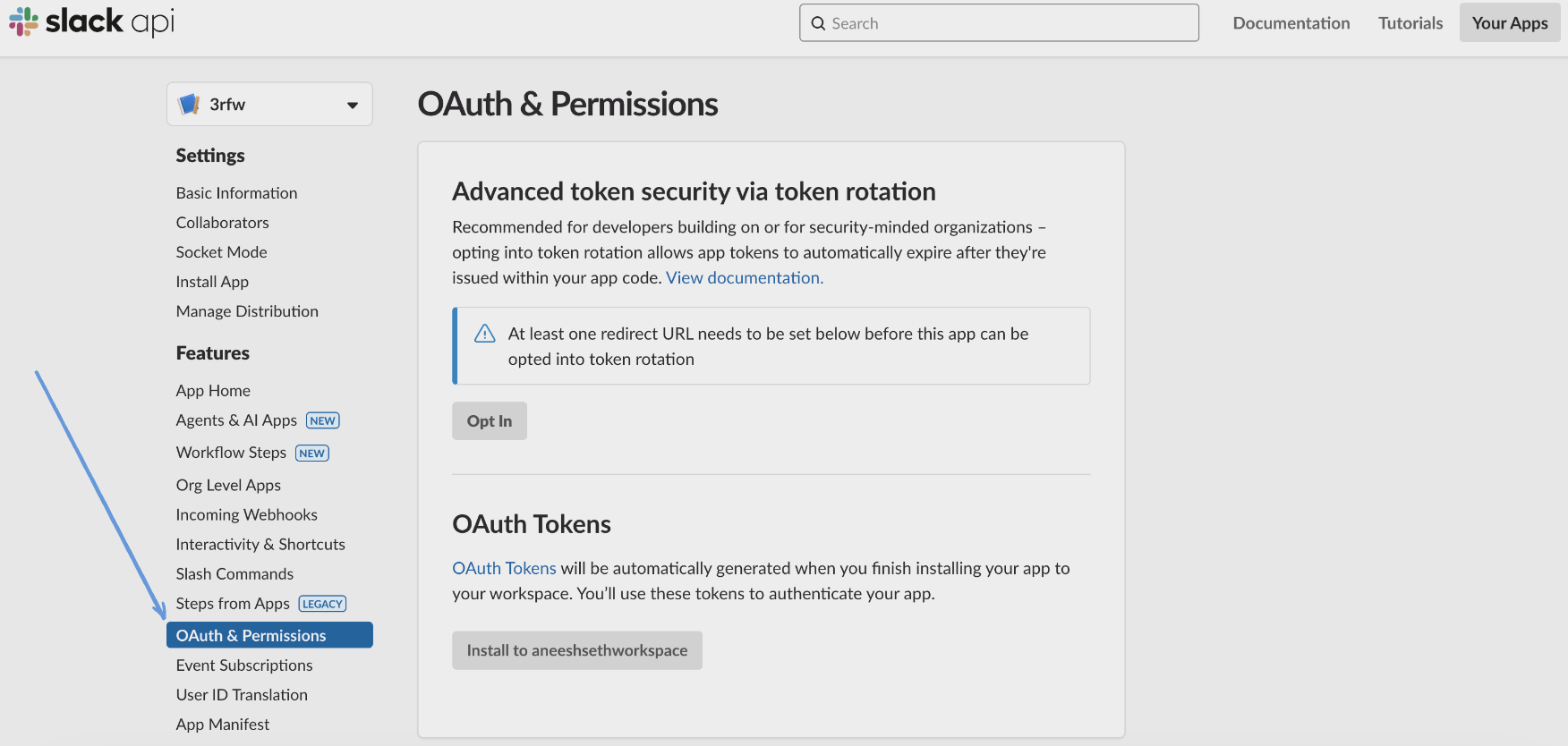
Navigate to OAuth & Permissions
- In the left sidebar, click OAuth & Permissions
-
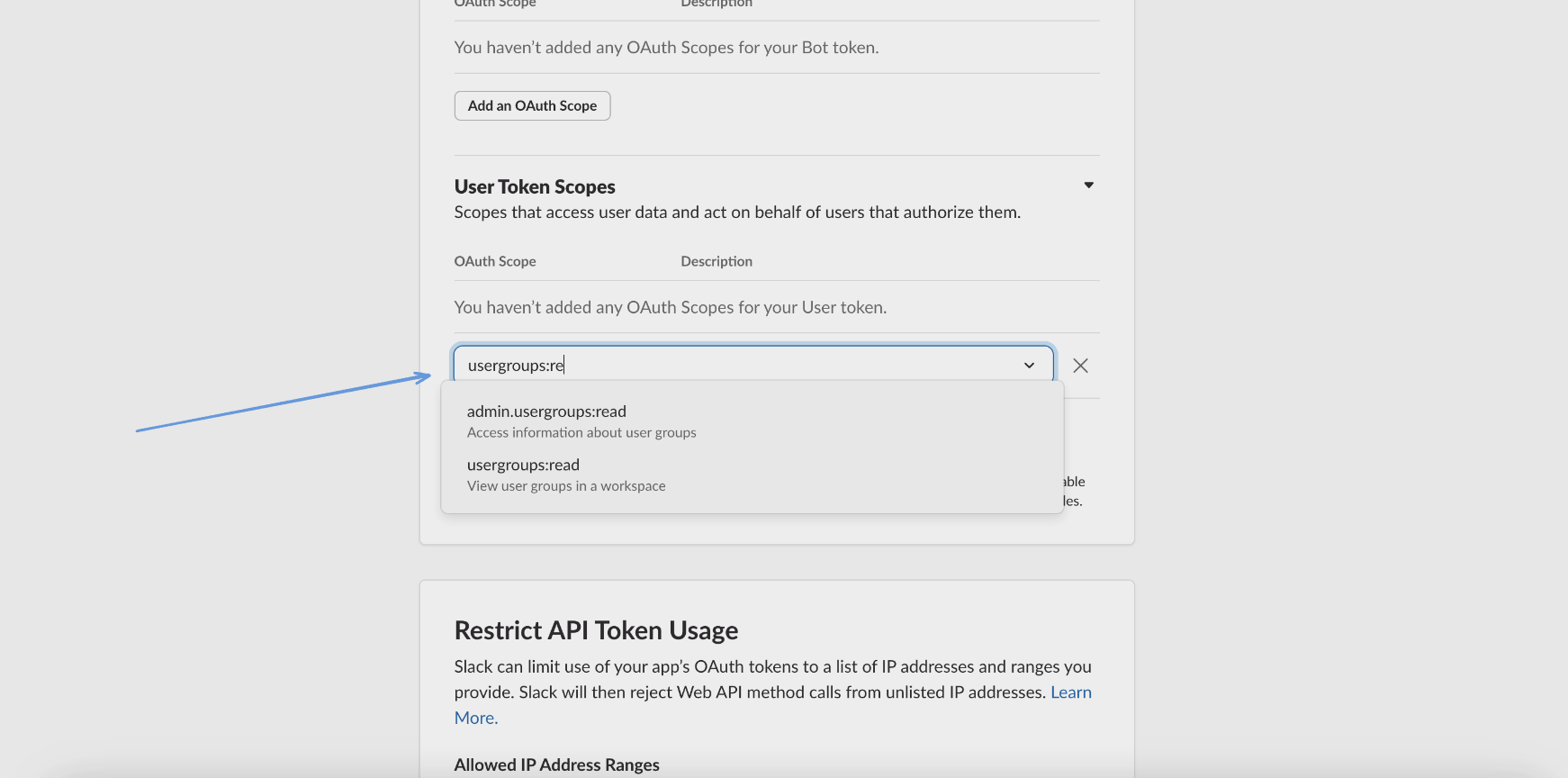
Add User Token Scopes
- Scroll down to Scopes > User Token Scopes
- Click Add an OAuth Scope
- Add the
adminscope - "Administer the workspace"
3. Install App and Get Token
-
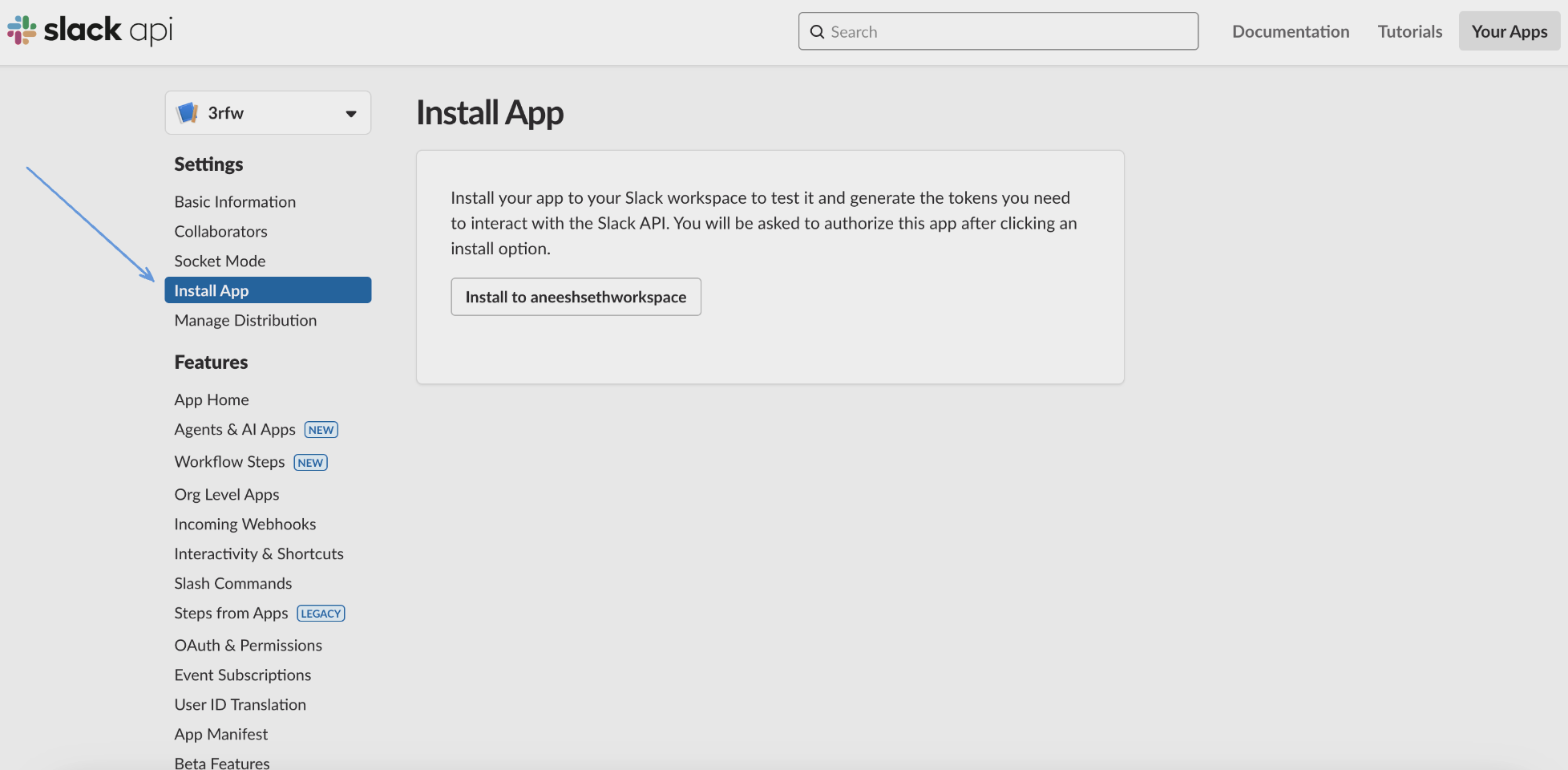
Install to Workspace
- In the left sidebar click Install App
- Click Install to Workspace button
- Click Allow when prompted to authorize the app
-
Copy User OAuth Token
- After installation, copy the User OAuth Token
- This token starts with
xoxp-and will be used in the configuration - Store it securely - treat it as a sensitive credential
Note: If you modify scopes after installation, reinstall the app for changes to take effect.
Configuration
Settings
| Setting | Type | Required | Description |
|---|---|---|---|
| backfill_start_time | string | No | The date to start fetching data from. If not specified, no past records will be fetched. |
Secrets
| Secret | Type | Required | Description |
|---|---|---|---|
| token | string | Yes | User OAuth Token with admin scope from your Slack app configuration (starts with xoxp-) |
Details
Monad tracks integration log events incrementally by monitoring the date timestamp field. The connector maintains state of the last successfully processed event and only fetches newer events on subsequent runs. On the first run, it performs a full sync of all available integration logs based on the backfill start time or all available data if not specified.
What Data is Collected
The integration logs capture:
- Service Information: App name, service type, and service ID
- User Activity: Which users enabled, disabled, or modified integrations
- Integration Changes: Scope modifications, channel associations, and configuration updates
- Lifecycle Events: When integrations were added, updated, or removed
- Change Context: Reason for changes (user action, admin action, deactivation)
Important Limitations
- Rate Limits: Subject to Slack's API rate limits which may affect data collection speed
- Admin Access Required: The
adminscope requires workspace admin or owner permissions - Data Retention: Log availability depends on your Slack plan's data retention policy
Troubleshooting
Common issues and their solutions:
-
Authentication failures
- Verify the OAuth token starts with
xoxp- - Ensure the token has the
adminscope - Check if the app has been installed to the workspace
- Verify your user account has admin or owner permissions
- Verify the OAuth token starts with
-
Missing data
- Check the backfill_start_time configuration
- Verify that integration logging is available for your Slack plan
- Ensure the token hasn't been revoked
-
Permission errors
- The
adminscope requires workspace admin or owner role - Reinstall the app if you recently added the scope
- The
Related Articles
Sample Record
{
  "service_id": "3847562910",
  "service_type": "GitHub",
  "user_id": "U1234ABCD",
  "user_name": "John Smith",
  "channel": "C1234567890",
  "date": 1744456299,
  "change_type": "enabled",
  "scope": "incoming-webhook",
  "reason": "user"
}