User Activity
Retrieves up to one year of user or enterprise activity events for audit and monitoring.
Sync Type: Incremental
Requirements
- Before you connect Monad to Box, you need access to a Box account, Business plan or higher. Note: Purchasing just a business plan (lowest tier) limits your ability on parameters you can use for the Box users input. Read the configuration section for more details.
- After purchasing an appropriate plan, you now need to obtain your Client ID, Client Secret, and Enterprise ID:
- Navigate to the Developer Console from your Box user dashboard (Requires Admin/Co-Admin Access to the enterprise)
- Create a Platform app (Custom app) if you don't have one with appropriate fields filled out from the Developer dashboard
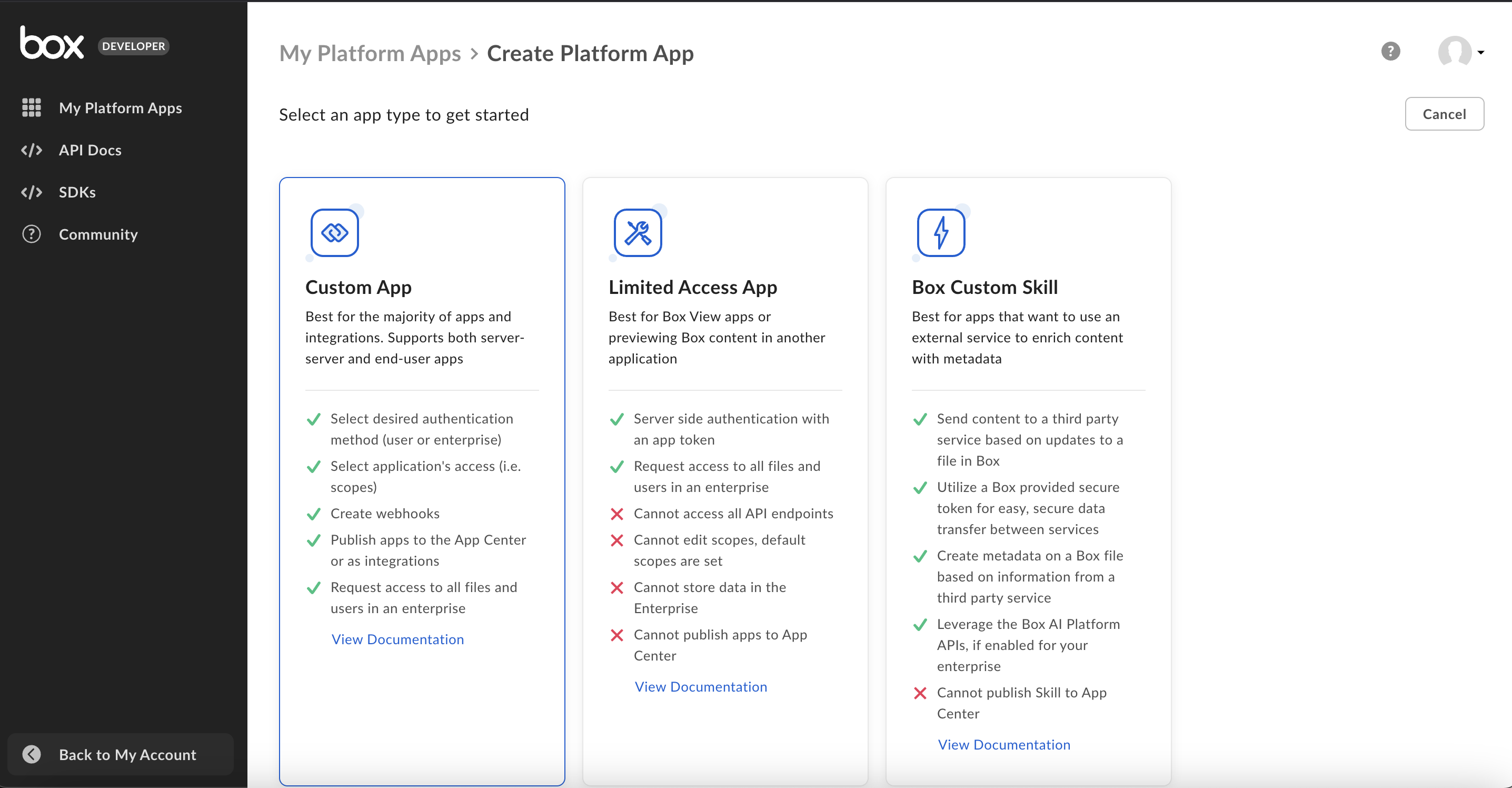
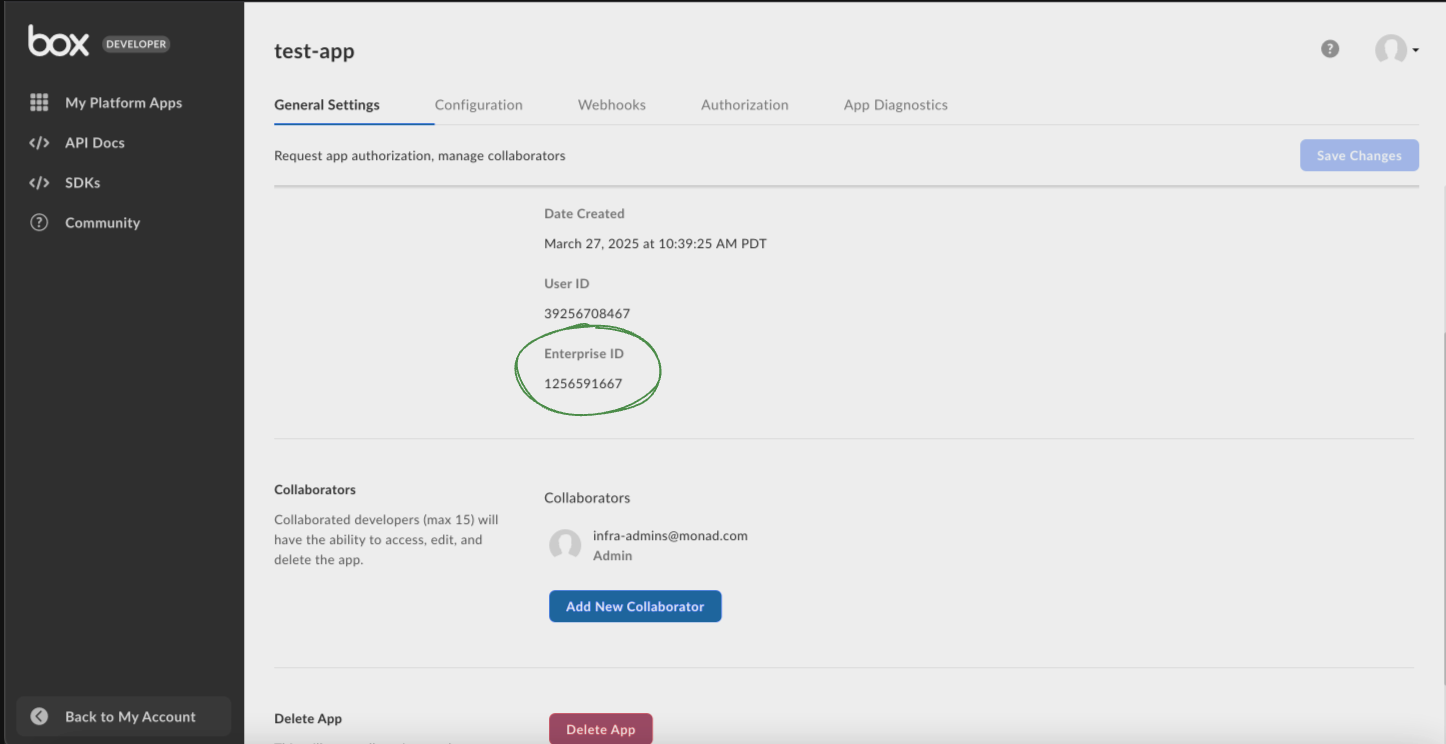
- Retrieve your Enterprise ID from the 'General settings' by choosing the right app from the developer dashboard in the 'My Platform Apps' section.
- Go to the 'Configuration' after choosing the right app from the developer dashboard in the 'My Platform Apps' section, and scroll down to 'OAuth 2.0 Credentials' section, and setup 2FA if required, after which obtain your Client ID and Client Secret to connect Box to Monad.
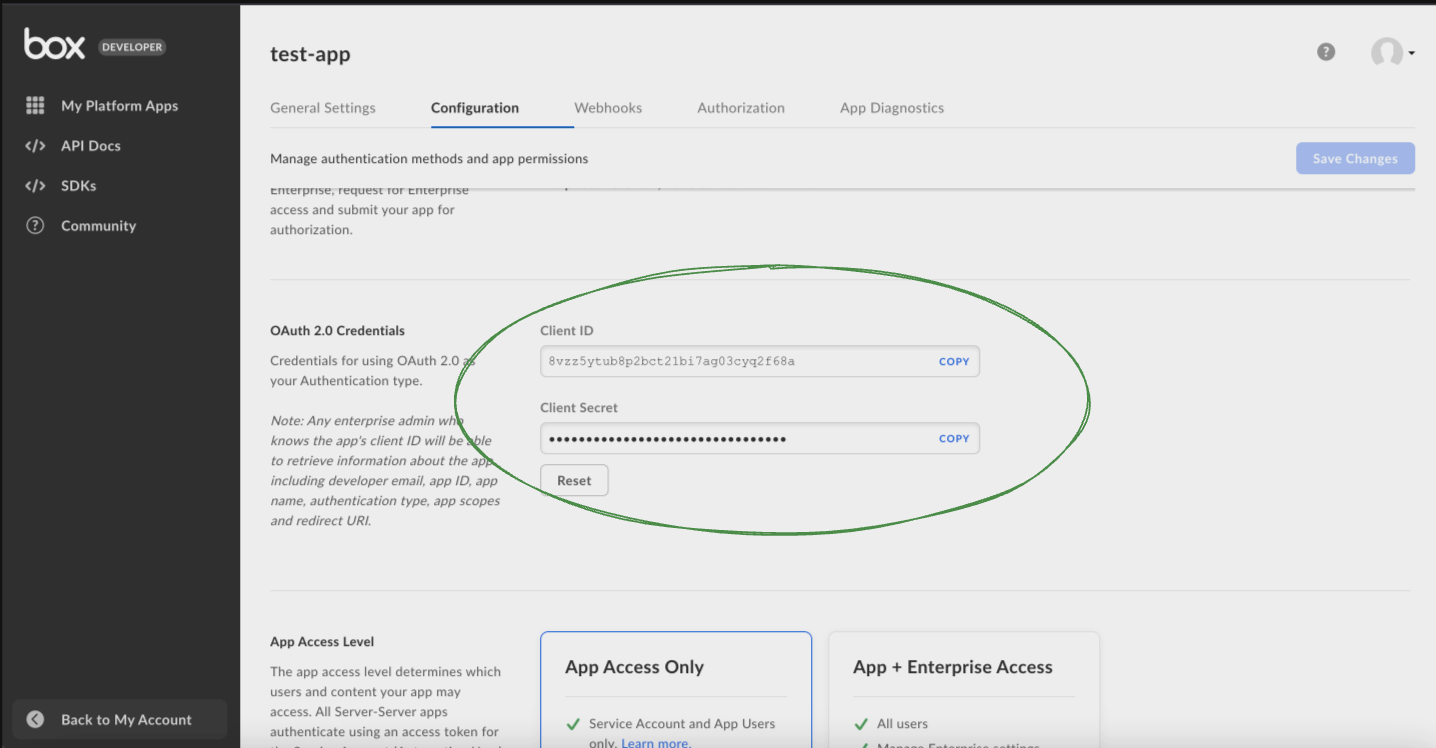
- Ensure that the app has "App + Enterprise Access" from the Configuration tab.
Details
Monad uses the created_after as a part of the query parameters on the API to determine what events to display. This field is updated every time a request to get events is successful with the time of the latest event generated. If this was the first time requesting for events, a full sync of the data is performed.
Configuration
The following configuration defines the input parameters. Each field's specifications, such as type, requirements, and descriptions, are detailed below.
Settings
| Setting | Type | Required | Description |
|---|---|---|---|
| Event Type | string | No | A list of event types to filter by. |
| Backfill Start Time | string | No | The date to start fetching data from. If not specified, no past records will be fetched. |
Secrets
| Secret | Type | Required | Description |
|---|---|---|---|
| Client ID | string | Yes | Client ID for the Box API. This is required to authenticate requests. |
| Client Secret | string | Yes | Client Secret for the Box API. This is required to authenticate requests. |
| Enterprise ID | string | Yes | Enterprise ID for the Box API. This is required to authenticate requests. |
Related Articles
Sample Record
{
  "action_by": null,
  "additional_details": {
    "service_id": "1719876",
    "service_name": "collaboration",
    "shared_link_id": "External Shared Link",
    "size": 260247,
    "version_id": "1995730833172"
  },
  "created_at": "2025-08-11T23:46:29.153986Z",
  "created_by": {
    "id": "60215937213",
    "login": "Alice Smith@enterprise.com",
    "name": "John Smith",
    "type": "user"
  },
  "event_id": "3faab377-b055-5ac4-f4f9-4f22a281dd89",
  "event_type": "DOWNLOAD",
  "ip_address": "222.67.49.78",
  "session_id": null,
  "source": {
    "item_id": "1005767554819",
    "item_name": "Shared Presentation",
    "item_type": "file",
    "owned_by": {
      "id": "247356638",
      "login": "Sarah Johnson@enterprise.com",
      "name": "John Jones",
      "type": "user"
    },
    "parent": {
      "id": "789427096673",
      "name": "",
      "type": "folder"
    }
  },
  "type": "event"
}