Activity Logs
Collects activity log events from Duo Security Admin API for monitoring user activity.
Sync Type: Incremental
Requirements
Before you connect Monad to Duo Security, you need an Integration Key, Secret Key, and a Host.
- Sign up for a Duo account if you aren't already a customer.
- Log in to the Duo Admin Panel and navigate to Applications and find the application you want to connect Monad to.
- Retrieve your Client ID, Client Secret, and Hostname (Previously in Duo, the Client ID was called the "Integration key" and the Client secret was called the "Secret key" in case you come across those terms).
- Ensure Duo is connected to your application. For example, here is documentation for how to connect Duo Security to 1Password: https://duo.com/docs/1password#new-1password-applications
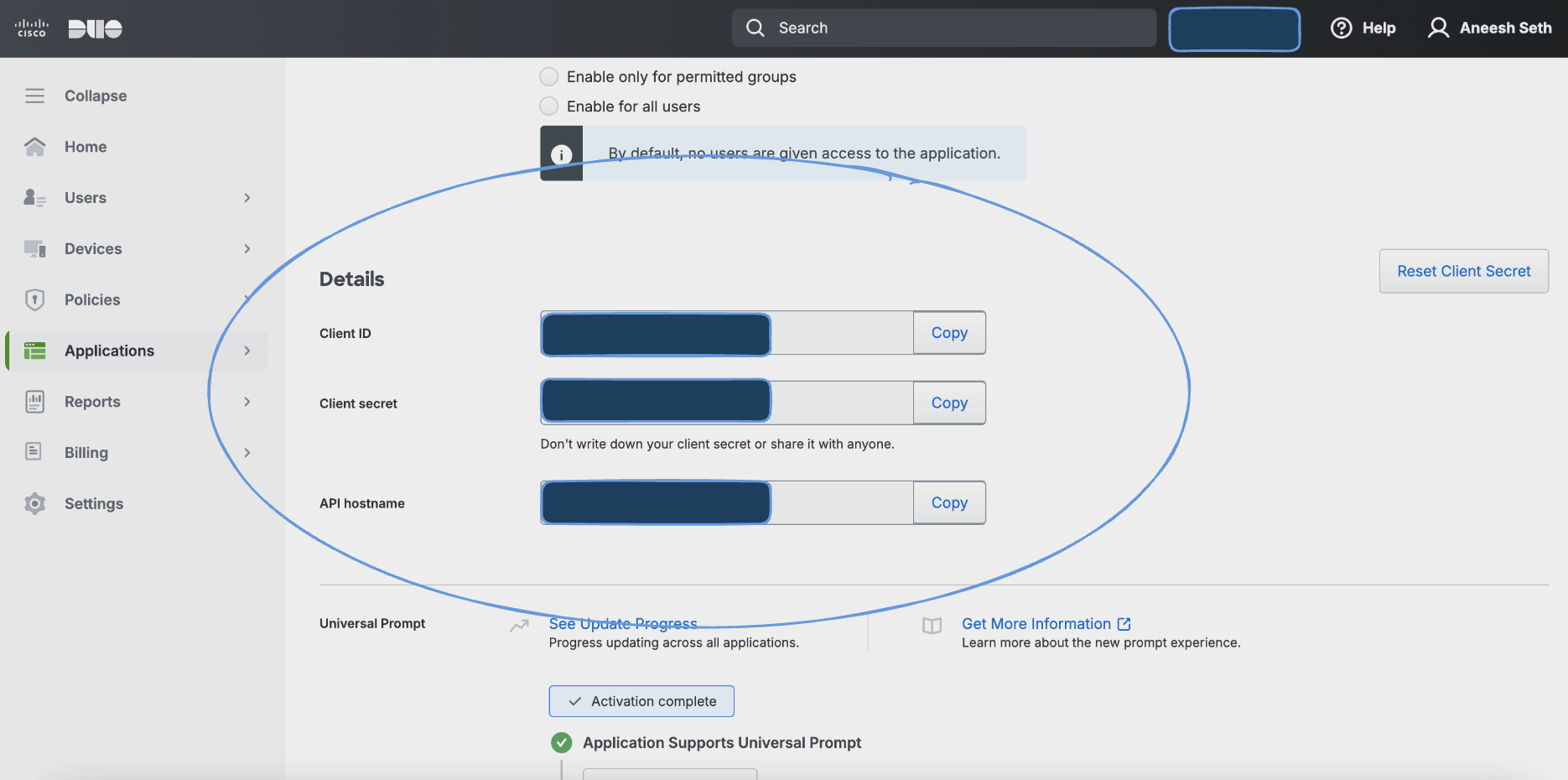
Details
Monad uses the mintime on the Duo Security Activity Logs API to determine what logs to display. This field is updated every time a request to get activity logs is successful with the last time a request to get the logs was initiated. If this was the first time requesting for activity logs, a full sync of the data is performed.
Configuration
The following configuration defines the input parameters. Each field's specifications, such as type, requirements, and descriptions, are detailed below.
Settings
| Setting | Type | Required | Description |
|---|---|---|---|
| Host | string | Yes | The Duo API endpoint used for sending authentication and other requests. |
Secrets
| Secret | Type | Required | Description |
|---|---|---|---|
| Integration Key | string | Yes | A unique identifier for the integration between your application and Duo Security. |
| Secret Key | string | Yes | A private key used to securely sign API requests to Duo. |
Custom Schema Handling
If the source data doesn't align with any of the OpenSecurityControlFramework (OSCF) schemas, you can create a custom transformation using our JQ transform pipeline. For example:
{
  metadata: {
    schema_version: "1.0.0",
    custom_framework: "my_framework"
  },
  controls: .[]
}
For more information on JQ and how to write your own JQ transformations see the JQ docs here.
If you believe this data source should be included in the standard OSCF schema set, please reach out to our team at support@monad.com. We're always looking to expand our coverage of security control frameworks based on community needs.
Related Articles
- https://duo.com/docs/adminapi#first-steps
- https://pkg.go.dev/github.com/duosecurity/duo_api_golang#NewDuoApi
- https://github.com/duosecurity/duo_api_golang
- Duo Activity Logs API
Sample Record
{
    "access_device": {
        "browser": "Chrome",
        "browser_version": "111.0.0.0",
        "epkey": "EP123456789012345678",
        "ip": {
            "address": "172.34.40.116"
        },
        "location": {
            "city": "Ann Arbor",
            "country": "United States",
            "state": "Michigan"
        },
        "os": "Mac OS X",
        "os_version": "10.15.7"
    },
    "action": {
        "details": null,
        "name": "webauthncredential_create"
    },
    "activity_id": "720b8360-078b-47c4-adc7-7968df1caef0",
    "actor": {
        "details": "{\"created\": \"2015-09-25T23:17:40.000000+00:00\", \"last_login\":
        \"2023-03-21T19:51:09.000000+00:00\", \"status\": \"Active\", \"groups\": [{\"name\":
        \"CorpHQ_Users\", \"key\": \"DGAZ172QBWDM26AK8ITK\"}, {\"name\": \"ITAdmins\", \"key\":
        \"DGK3B7XTSIP00LKHK1RD\"}, {\"name\": \"yee\", \"key\": \"DGKZWSBCDADEVFGFK5NR\"}]}",
        "key": "DU64TKJPJ0SHFWKO2LNBC",
        "name": "sogilby",
        "type": "user"
    },
    "akey": "DAAR5FO0OZ4VYZA0WOB2",
    "application": {
        "key": "DILSVDEYH66TBHKIXGR9",
        "name": "Acme Corp",
        "type": "websdk"
    },
    "old_target": null,
    "outcome": {
        "result": "FAILURE"
    },
    "target": {
        "details": "{\"authenticator_type\": \"Security key\", \"transport_types\": \"usb\",
        \"passwordless_authorized\": false, \"browser\": \"Chrome\", \"browser_version\":
        \"111.0.0.0\", \"os\": \"Mac OS X\", \"os_version\": \"10.15.7\", \"user_agent\":
        \"Mozilla/5.0 (Macintosh; Intel Mac OS X 10_15_7) AppleWebKit/537.36 (KHTML, like Gecko)
        Chrome/111.0.0.0 Safari/537.36\", \"credential_name\": \"Security key\"}",
        "key": "WAUKH0IMTGP00L90LT4KM",
        "name": "WAUKH0IMTG3EDD4DT4KM",
        "type": "webauthn_credential"
    },
    "ts": "2023-03-21T15:51:22.591015+00:00"
}