Detection Summaries
Fetches detection summaries from CrowdStrike Falcon, providing near real-time detection data for alert triage.
Sync Type: Incremental
Requirements
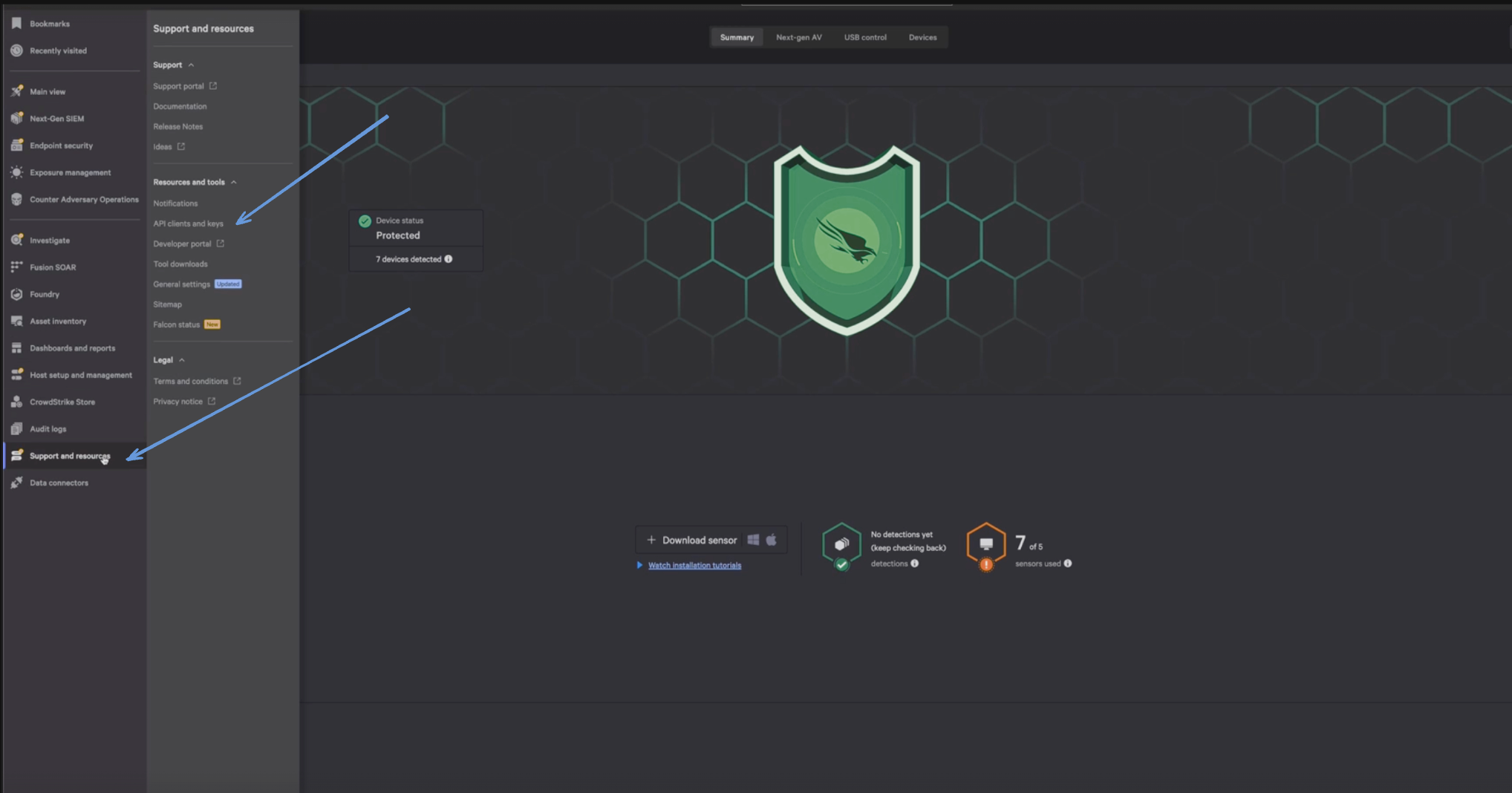
- Before you connect Monad to CrowdStrike, you need a Client ID and Client Secret. Log in to your CrowdStrike portal, and under Support & Resources, click on 'API Client and Keys' to create your credentials.
- Enter a Client Name, Description and API Scopes to define the API client. Ensure read roles for Detections are enabled.
- Click Done.
- Copy the ClientID and ClientSecret key. You'll need them when you set up the Monad connector.
Details
Monad uses the created_timestamp as a part of the filter on the CrowdStrike API to determine what summaries to display. This field is updated every time a request to get detection summaries is successful with the last time a request to get summaries was initiated. If this was the first time requesting for detection summaries, a full sync of the data is performed.
Configuration
The following configuration defines the input parameters. Each field's specifications, such as type, requirements, and descriptions, are detailed below.
Settings
| Setting | Type | Required | Description |
|---|---|---|---|
| Cloud Type | string | No | Your cloud type for CrowdStrike. Ex: 'autodiscover', 'us-1', 'us-2', 'eu-1', 'us-gov-1'. |
Secrets
| Secret | Type | Required | Description |
|---|---|---|---|
| Client ID | string | Yes | Client ID for the CrowdStrike API. This is required to authenticate requests. |
| Client Secret | string | Yes | Client Secret for the CrowdStrike API. This is required to authenticate requests. |
Custom Schema Handling
If the source data doesn't align with any of the OpenSecurityControlFramework (OSCF) schemas, you can create a custom transformation using our JQ transform pipeline. For example:
{
  metadata: {
    schema_version: "1.0.0",
    custom_framework: "my_framework"
  },
  controls: .[]
}
For more information on JQ and how to write your own JQ transformations see the JQ docs here.
If you believe this data source should be included in the standard OSCF schema set, please reach out to our team at support@monad.com. We're always looking to expand our coverage of security control frameworks based on community needs.
Sample Record
{
  "adversary_ids": [
    123,
    456
  ],
  "assigned_to_name": "Tom Miller",
  "behaviors": [
    {
      "behavior_id": 1,
      "description": "Unauthorized access attempt"
    },
    {
      "behavior_id": 2,
      "description": "Data exfiltration detected"
    }
  ],
  "behaviors_processed": [
    "Unauthorized access attempt",
    "Data exfiltration detected"
  ],
  "cid": "abcd-1234",
  "created_timestamp": "2025-08-11T23:46:30.062Z",
  "date_updated": "2025-08-11T23:46:30.062Z",
  "detection_id": "ccb0c4fd-c9c4-7853-8ffd-71b2992f6715",
  "device": {
    "device_id": "device-001",
    "device_name": "Workstation-1"
  },
  "email_sent": true,
  "first_behavior": "2025-08-11T23:46:30.062Z",
  "hostinfo": {
    "hostname": "server-xyz",
    "ip_address": "172.173.178.66"
  },
  "last_behavior": "2025-08-11T23:46:30.062Z",
  "max_confidence": "88",
  "max_severity": "4",
  "max_severity_displayname": "Medium",
  "overwatch_notes": "et id irure consectetur occaecat aute aliquip commodo culpa et",
  "quarantined_files": [
    {
      "file_id": "file-001",
      "file_name": "malware.exe"
    },
    {
      "file_id": "file-002",
      "file_name": "suspicious.doc"
    }
  ],
  "seconds_to_resolved": "3300",
  "seconds_to_triaged": "2366",
  "show_in_ui": true,
  "status": "resolved"
}