Projects
Ingests project logs from the Semgrep API to support pipeline-level analysis and context.
Sync Type: Full Synchronisation
Requirements
- Before you connect Monad to Semgrep, you need an API token. API tokens are scoped to include all code findings from a specific account in Semgrep.
- Please make sure that your account is on Semgrep Code Team tier to have access to the API endpoints.
- To generate a new Semgrep API key,
- Log in to Semgrep, and check to confirm which account you are using. If needed, switch to the account that you want to connect to Monad.
- Click Settings > Tokens > Create new token.
- In the dialog that appears, make sure that WebAPI is selected and Agent (CI) is deselected in the Token Scopes section.
- In the Description, enter something like Monad Connector token so that it's clear later what this token is for.
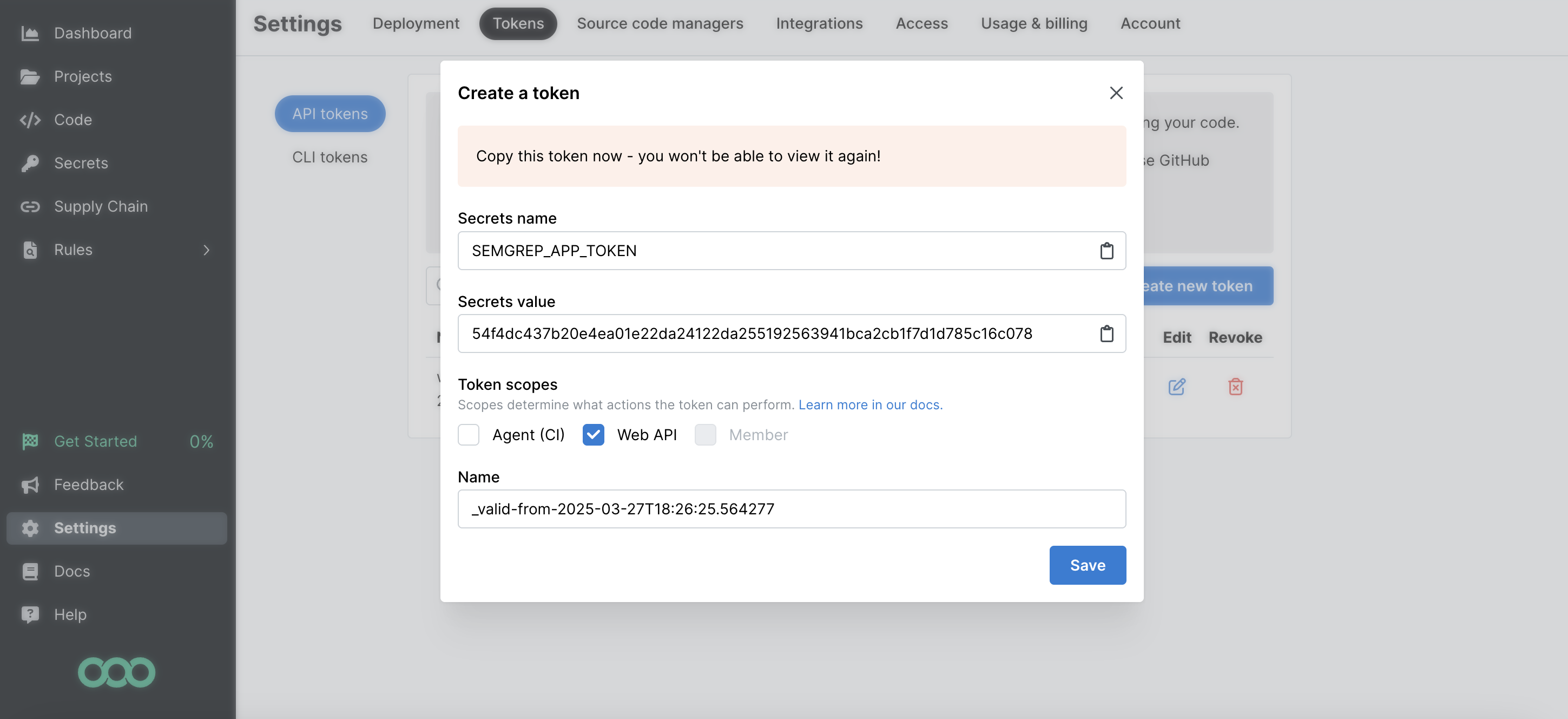
- Copy the Secrets Value (the token value) to a secure place so you can use it to set up the connector. Once you close this dialog, you cannot view the token value again.
Details
Monad uses the cron field to run this input on specific intervals and returns all projects, performing a full sync of data each time.
Configuration
The following configuration defines the input parameters. Each field's specifications, such as type, requirements, and descriptions, are detailed below.
Settings
| Setting | Type | Required | Description |
|---|---|---|---|
| Cron | string | Yes | Cron string for scheduling tasks. Ex: '0 0 * * *' for daily execution at midnight. |
Secrets
| Secret | Type | Required | Description |
|---|---|---|---|
| API Key | string | Yes | API Key for the Semgrep API. This is required to authenticate requests. |
Custom Schema Handling
If the source data doesn't align with any of the OpenSecurityControlFramework (OSCF) schemas, you can create a custom transformation using our JQ transform pipeline. For example:
{
  metadata: {
    schema_version: "1.0.0",
    custom_framework: "my_framework"
  },
  controls: .[]
}
For more information on JQ and how to write your own JQ transformations see the JQ docs here.
If you believe this data source should be included in the standard OSCF schema set, please reach out to our team at support@monad.com. We're always looking to expand our coverage of security control frameworks based on community needs.
Related Articles
- https://semgrep.dev/api/v1/docs/#section/Authentication
- https://semgrep.dev/docs/semgrep-appsec-platform/semgrep-api
Sample Record
{
  "id": 216321,
  "name": "Monad-Inc/singer-taps",
  "url": "https://github.com/Tech-Corp/project-x",
  "tags": [],
  "created_at": "2025-08-11T23:46:36.819802Z",
  "latest_scan_at": "2025-08-11T23:46:36.819807Z",
  "primary_branch": "refs/heads/develop",
  "default_branch": "refs/heads/feature-branch"
}