Azure Blob Storage
Writes data to Azure Blob Storage containers in various file formats. Supports configurable partitioning, compression, and batching options for optimal data organization and performance.
Requirements
To configure Azure as an output destination for Monad, complete the following steps:
Step 1: Create Microsoft Entra Application
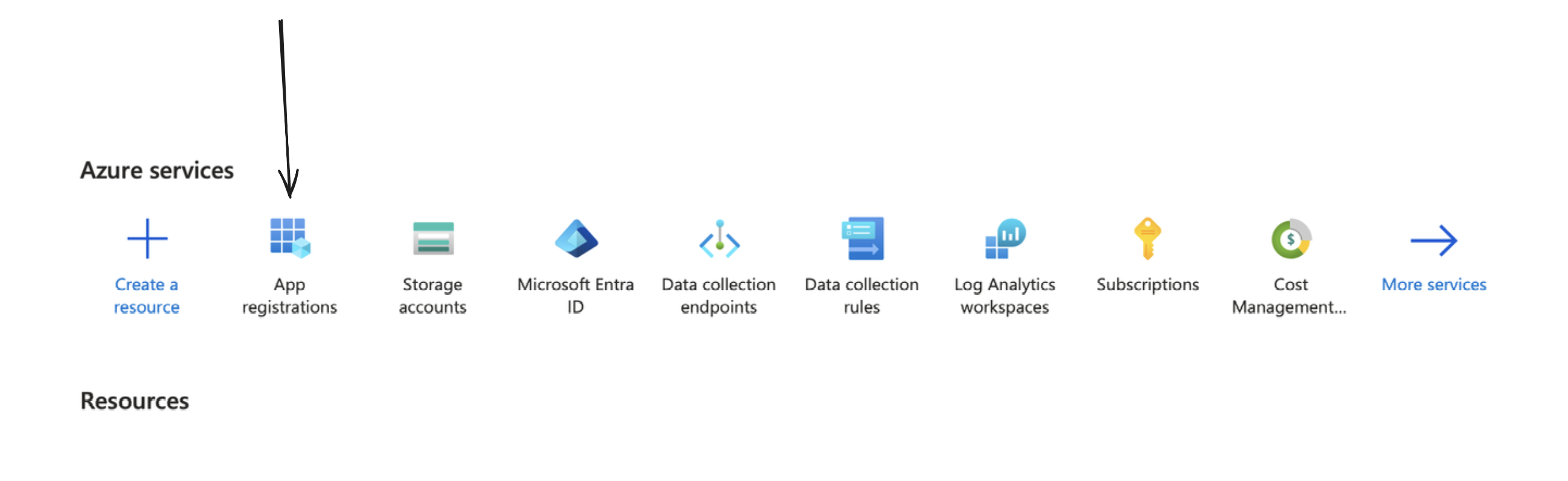
You can create one by going to your Azure portal, and clicking on/searching for App Registrations.
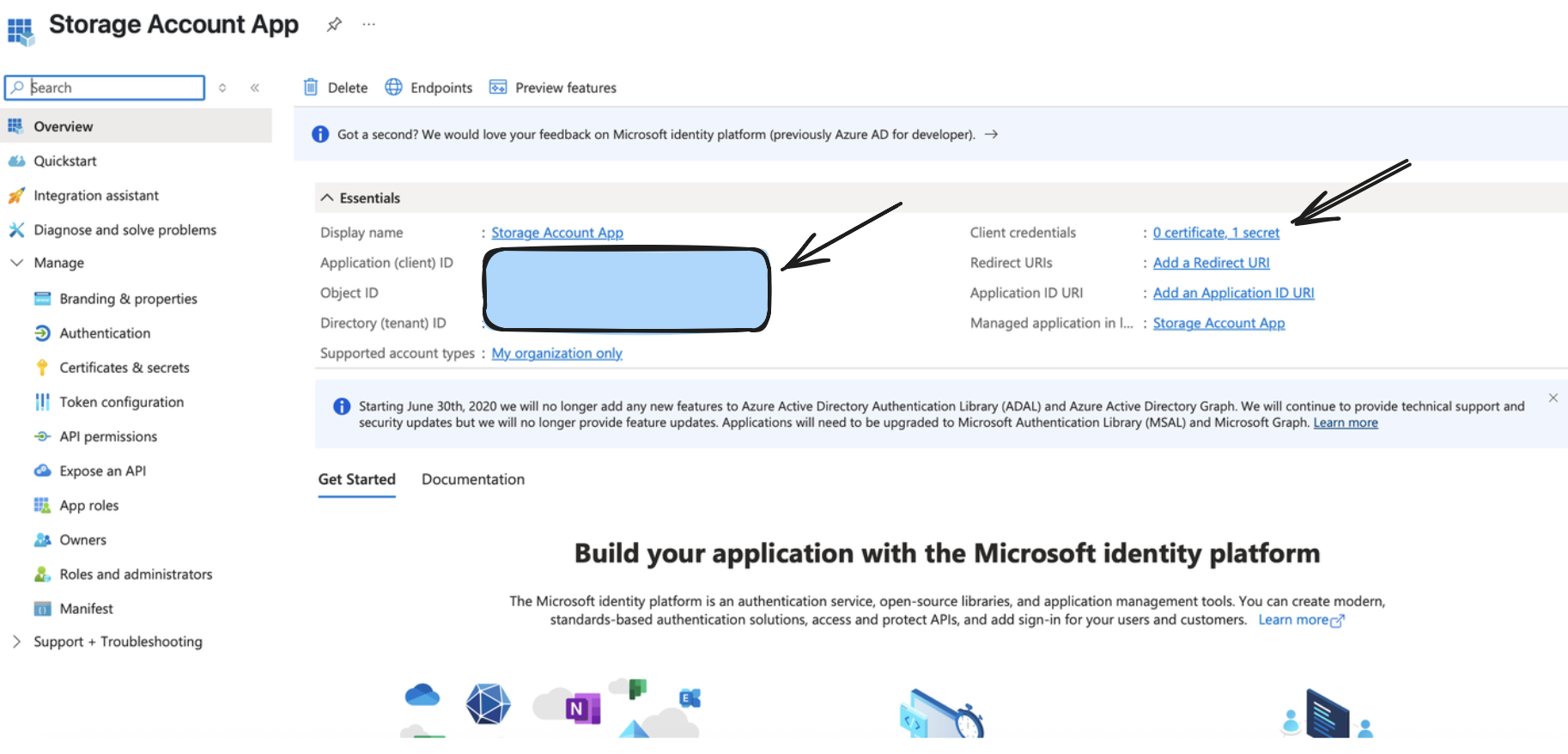
From the above step, you would receive a valid Application (Client) ID, Directory (Tenant ID), and a Client Secret Value, which would be used as a part of setting up the output connector.
Step 2: Create/Configure a Storage Account
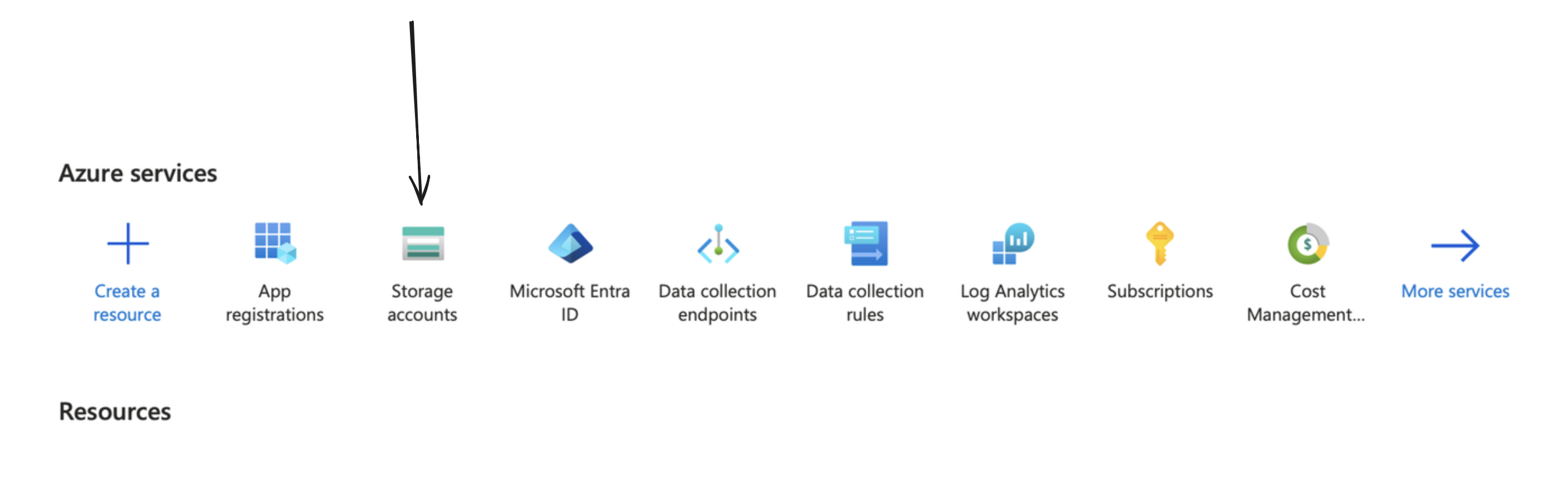
You can create one by going to your Azure portal, and clicking on/searching for Storage Accounts.
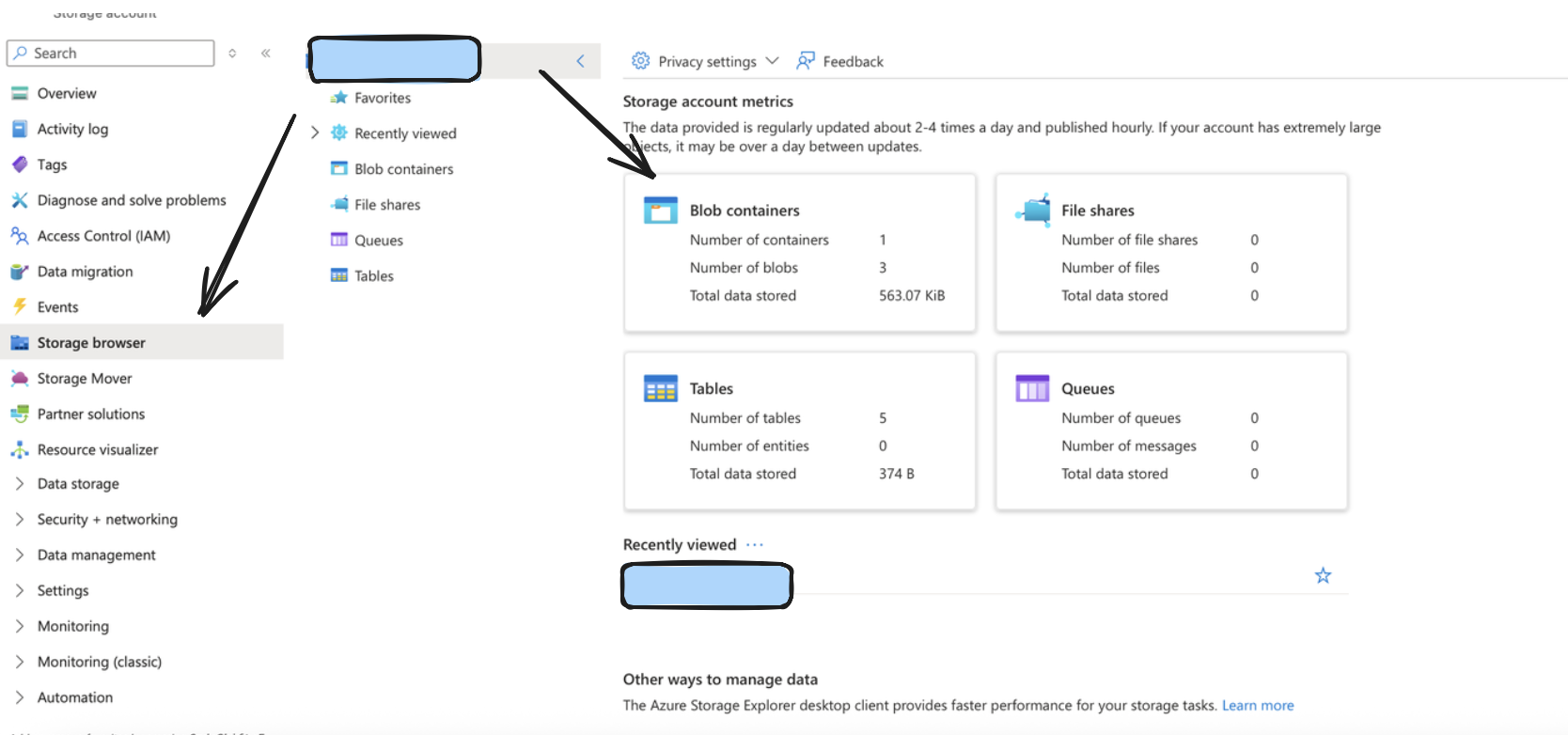
After doing so, create a container by going to the storage browser on the left sidebar, and choosing the Blob Containers widget. The name of your storage account in the format https://account_name.blob.core.windows.net typically would be your Account URL.
Step 3: Setup Appropriate permissions
Monad requires specific permissions setup to allow access to ingest input data into Azure. Follow the below steps to do so.
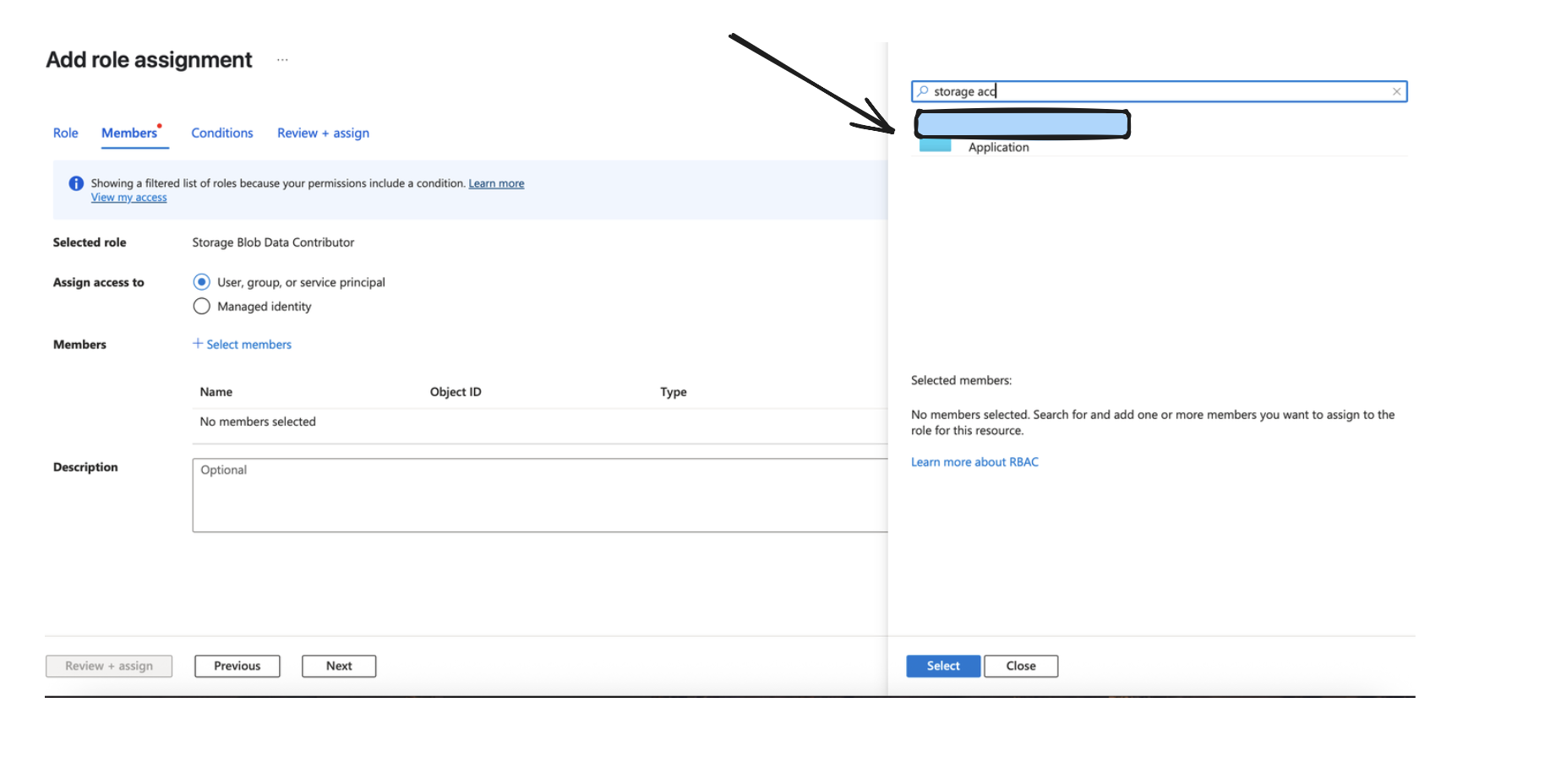
Retrieve the exact name from the App created/being used from under App Registrations like we did before.
After doing so, go to your storage account, and under IAM, click on Add to add a new Role Assignment.
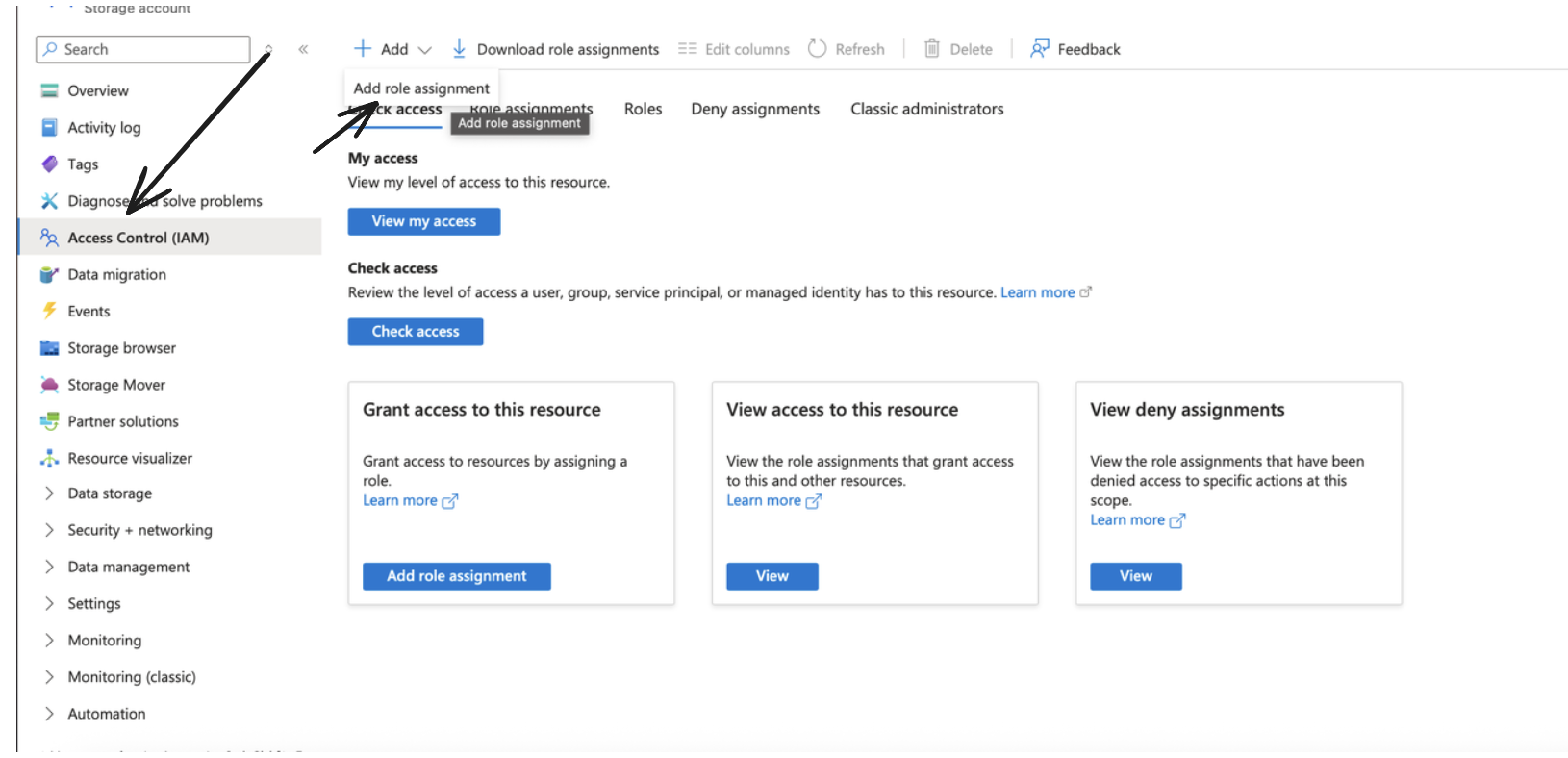
Make sure to choose the Storage Blob Data Contributor role and click next.
Assign Access to the Application like done in the Image below, and go ahead and add the role assignment.
Details
When the input is run for the first time, it performs a full sync of all files in the specified container-prefix. After each successful page of objects is processed, the processor checkpoints its state by saving:
- The highest LastModified timestamp encountered
- The lexicographically greatest Blob key at that timestamp
On subsequent runs, the processor performs an incremental sync starting from last checkpoint timestamp. On restart in case of any form of failure, we resume from the day prefix of the last checkpointed timestamp. A checkpoint occurs at every page within a prefix. So while processing a prefix, if a failure occurs, the processor will restart from the last completed page's checkpoint. This means that while you may not lose out on records, you may re-process some records within the last page in case of any catastrophic failures.
-
To avoid this, we recommend publishing Blob data to a queue that can be consumed from to avoid such failures.
-
Please also note we rescan and drop all data based on our deduplication logic on every single sync which occurs in a day prefix. This means that for larger containers, this may lead to hitting rate limits since we will be scanning the same data a large number of times in a day. To avoid this, we recommend publishing Blob data to a queue that can be consumed from to avoid such scenarios.
-
Prefixes must be hive compliant/simple date always. Anything other than this can cause unexpected behavior in the input.
-
Each log's last updated time should be on the same date as the logical prefix itself. so any object that lands in the 2025/08/10 prefix should have a last updated time of 2025/08/10 (in its ISO8601 format). Not doing so can cause unexpected behavior in the input.
-
To avoid such tight boundaries, we recommend publishing Blob data to a queue that can be consumed from to avoid such failures.
Configuration
Settings
| Setting | Type | Required | Default | Description |
|---|---|---|---|---|
| Container | string | Yes | - | A container organizes a set of blobs, similar to a directory in a file system |
| Account URL | string | Yes | - | Represents your storage account in Azure. Typically of the format https://account_name.blob.core.windows.net. |
| Prefix | string | No | - | An optional prefix for Azure object keys to organize data within the container |
| Format Configuration | object | Yes | - | The format configuration for output data - see Format Options below |
| Compression Method | string | Yes | - | The compression method to be applied to the data before storing (e.g., gzip, snappy, none) |
| Partition Format | string | Yes | simple_date | The format for organizing data into partitions within the Azure Container |
| Batch Configuration | object | No | See defaults given in one of the sections below | Controls when batches are written to Azure |
| Record Location | string | No | - | Location of the record in the JSON object. See Record Location for syntax and examples. |
| Backfill Start Time | string | No | - | The date to start fetching data from. If not specified, no past records will be fetched. |
Format Options
The output format determines how your data is structured in the storage files. You must configure exactly one format type you can see documentation on formats here: Formats.
Partition Format Options
- Simple Date Format (
simple_date):
- Structure:
{prefix}/{YYYY}/{MM}/{DD}/{filename} - Example:
my-data/2024/01/15/20240115T123045Z-uuid.json.gz - Use case: Straightforward date-based organization
- Hive-Compliant Format (
hive_compliant):
- Structure:
{prefix}/year={YYYY}/month={MM}/day={DD}/{filename} - Example:
my-data/year=2024/month=01/day=15/20240115T123045Z-uuid.parquet - Use case: Compatible with Athena, Hive, and other query engines that expect this partitioning scheme
Both partition formats use UTC time for consistency across different time zones.
Secrets
| Secret | Type | Required | Description |
|---|---|---|---|
| Tenant ID | string | Yes | The Azure Active Directory tenant (directory) ID. |
| Client ID | string | Yes | The application (client) ID registered in Azure Active Directory. |
| Client Secret | string | Yes | The client secret associated with the registered application in Azure AD. |
Custom Schema Handling
If the source data doesn't align with any of the OpenSecurityControlFramework (OSCF) schemas, you can create a custom transformation using our JQ transform pipeline. For example:
{
  metadata: {
    schema_version: "1.0.0",
    custom_framework: "my_framework"
  },
  controls: .[]
}
For more information on JQ and how to write your own JQ transformations see the JQ docs here..
If you believe this data source should be included in the standard OSCF schema set, please reach out to our team at support@monad.com. We're always looking to expand our coverage of security control frameworks based on community needs.