Jira User Directory
Returns a list of all users, including active users, inactive users and previously deleted users that have an Atlassian account, associated with your Jira site.
Sync Type: Full Synchronisation
Requirements
Before you connect Monad to Jira, you need an API token, email, and a cloud ID:
-
Log in to https://id.atlassian.com/manage-profile/security/api-tokens.
-
Select Create API token with scopes.
-
Give your API token a name that describes what it does.
-
Select an expiration date for the API token(Token expiration is 1 to 365 days*), then click Next
-
Choose Jira, then click Next
-
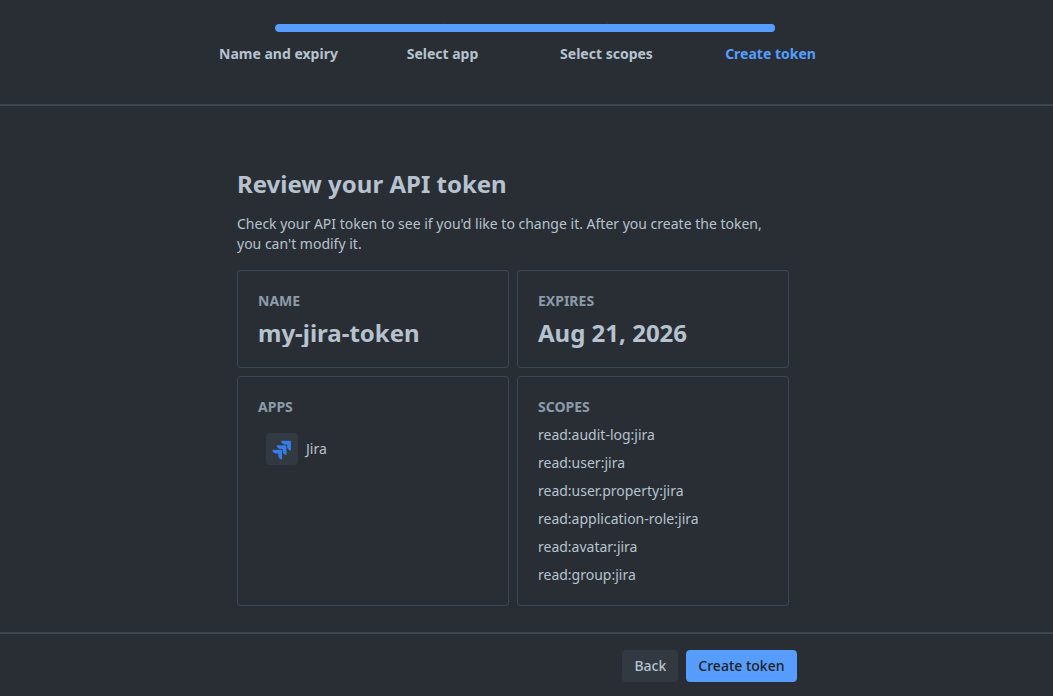
Select granular permissions, depending on which inputs you plan to use the token for. The below cover all current Atlassian Jira inputs.
read:audit-log:jira
read:user:jira
read:user.property:jira
read:application-role:jira
read:avatar:jira
read:group:jira
- Review your choices, then click Create Token
-
Select Copy, then paste the token to your script, or save it somewhere safe. It's no longer available once exiting this page.
-
Your cloudID is your tenant ID. If your Jira URL is 'acme.atlassian.net', you can retrieve your cloud ID by visiting https://acme.atlassian.net/_edge/tenant_info
-
The email address is the one associated with your Atlassian account used to create the token.
*Note: When generating an API Token, please be mindful of its expiry date, as the token and its expiry is not generated by Monad. If the token expires, any inputs relying on it will result in errors. To continue, you will need to regenerate a new API Token through the UI.
Details
Monad uses the cron field to schedule the input at specific intervals, returning all users, including active users, inactive users and previously deleted users that have an Atlassian account. A full data sync is performed each time.
Configuration
The following configuration defines the input parameters. Each field's specifications, such as type, requirements, and descriptions, are detailed below.
Settings
| Setting | Type | Required | Description |
|---|---|---|---|
| string | Yes | The email address associated with your Atlassian account used to access Jira. | |
| CloudId | string | Yes | Your cloudID is your tenant ID. If your Jira URL is 'acme.atlassian.net', you can retrieve your cloud ID by visiting https://acme.atlassian.net/_edge/tenant_info |
| Cron | string | Yes | Cron expression for scheduling the input. |
Secrets
| Secret | Type | Required | Description |
|---|---|---|---|
| Api Token | string | Yes | This is the token you generate from your Atlassian account for API access. |
Related Articles
https://developer.atlassian.com/cloud/jira/platform/rest/v3/intro/#about https://developer.atlassian.com/cloud/jira/platform/rest/v3/api-group-users/#api-rest-api-3-users-search-get