Retrieves vulnerability data and associated metadata for assets from Crowdstrike Falcon Spotlight, including details like CVE identifiers, CVSS scores, descriptions, solution information, and affected systems.
Sync Type: Incremental
Requirements
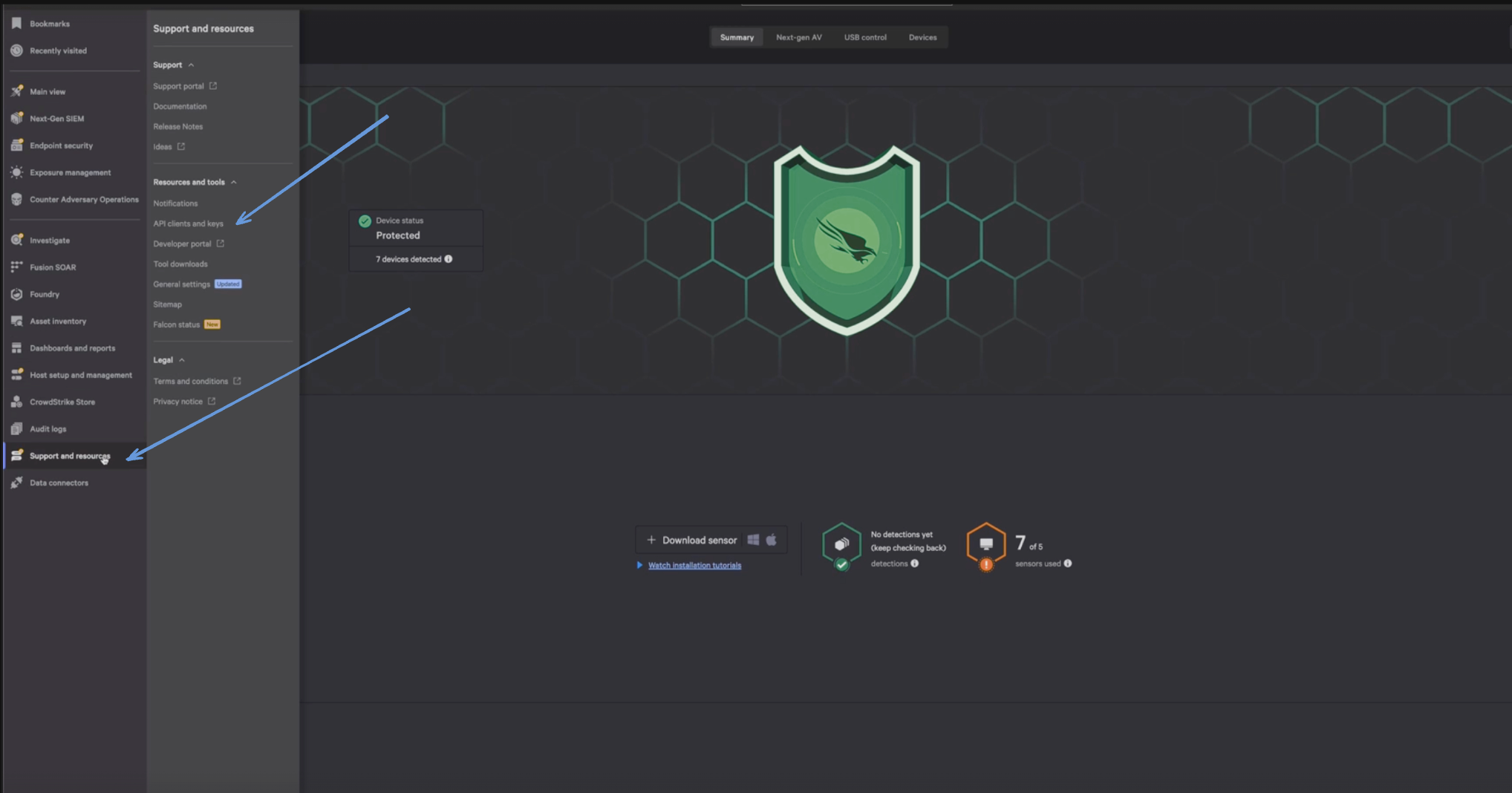
Before you connect Monad to CrowdStrike, you need a Client ID and Client Secret. Log in to your CrowdStrike portal, and under Support & Resources, click on 'API Client and Keys' to create your credentials.
Enter a Client Name, Description and API Scopes to define the API client. Ensure read roles for User Management are enabled.
Click Done.
Copy the ClientID and ClientSecret key. You'll need them when you set up the Monad connector.
Details
Monad uses the created_timestamp within the filter on the CrowdStrike API to determine what vulnerabilities to display. This field is updated every time a request to get vulnerabilities is successful with the last time a request to get vulnerabilities was initiated. If this was the first time requesting for vulnerabilities, a full sync of the data is performed.
Configuration
The following configuration defines the input parameters. Each field's specifications, such as type, requirements, and descriptions, are detailed below.
Settings
Setting
Type
Required
Description
Cloud Type
string
No
Your cloud type for CrowdStrike. Ex: 'autodiscover', 'us-1', 'us-2', 'eu-1', 'us-gov-1'.
Backfill Start Time
string
No
The date to start fetching data from. If not specified, no past records will be fetched.
Secrets
Secret
Type
Required
Description
Client ID
string
Yes
Client ID for the CrowdStrike API. This is required to authenticate requests.
Client Secret
string
Yes
Client Secret for the CrowdStrike API. This is required to authenticate requests.
OCSF Conversion
The following JQ transformation converts Crowdstrike Vulnerability data to OCSF Version 1.1 compliant format.
By default this input polls approximately every 10 seconds, with each sync beginning after the previous one completes. A cron schedule configured on the pipeline overrides this cadence. See Input Sync Frequency for details.