

CrowdStrike
User Metadata
Collects user information from CrowdStrike, including user profiles and activity logs. This provides visibility into user activities and helps in detecting anomalous behavior
Sync Type: Full Synchronisation
Requirements
- Before you connect Monad to CrowdStrike, you need a Client ID and Client Secret. Log in to your CrowdStrike portal, and under Support & Resources, click on 'API Client and Keys' to create your credentials.
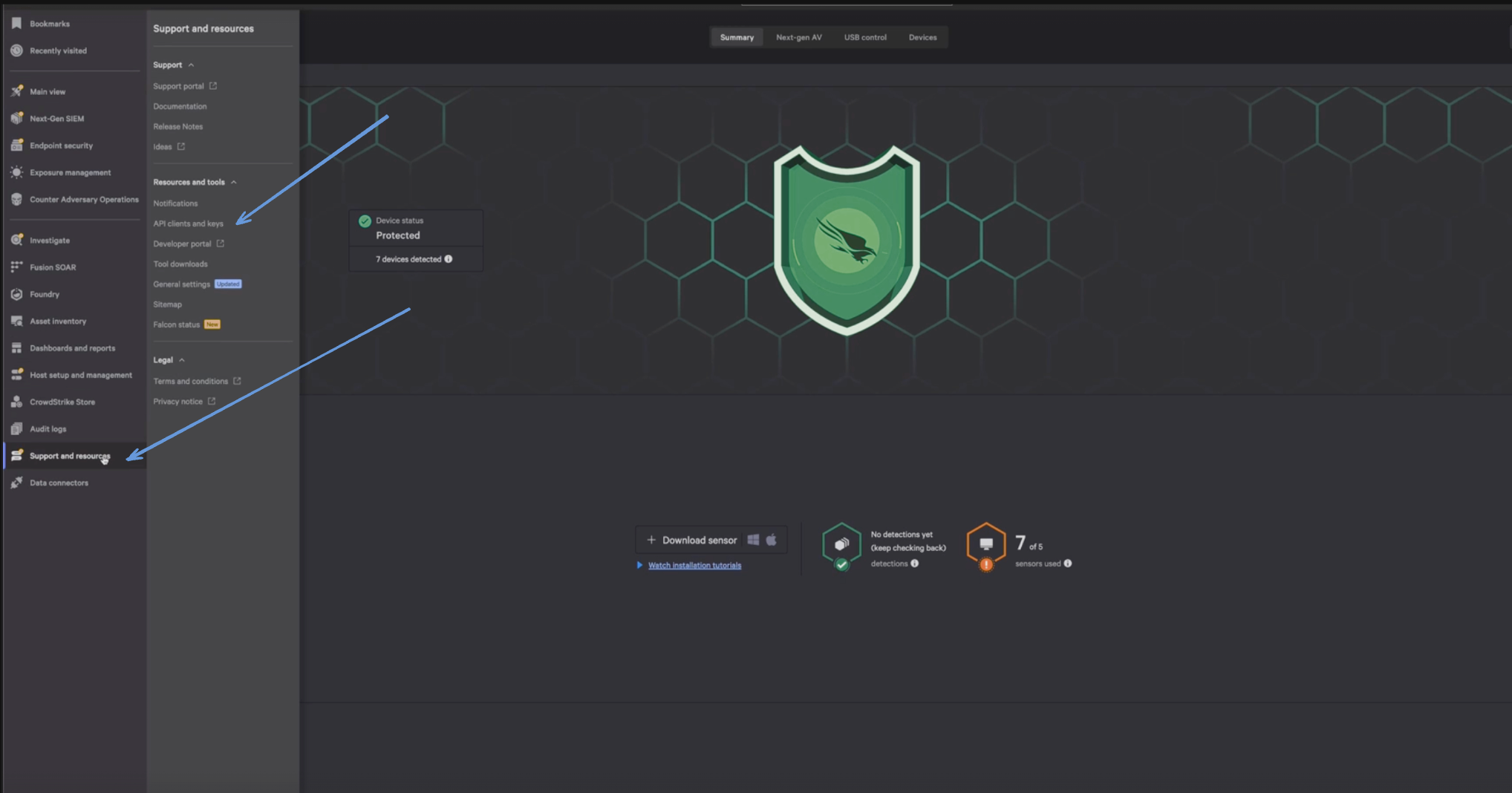
- Enter a Client Name, Description and API Scopes to define the API client. Ensure read roles for User Management are enabled.
- Click Done.
- Copy the ClientID and ClientSecret key. You'll need them when you set up the Monad connector.
Details
Monad uses the cron field to run this input on specific intervals and returns all users, performing a full sync of data each time.
Configuration
The following configuration defines the input parameters. Each field's specifications, such as type, requirements, and descriptions, are detailed below.
Settings
| Setting | Type | Required | Description |
|---|---|---|---|
| Cron | string | Yes | Cron string for scheduling tasks. Ex: '0 0 * * *' for daily execution at midnight. |
| Cloud Type | string | No | Your cloud type for CrowdStrike. Ex: 'autodiscover', 'us-1', 'us-2', 'eu-1', 'us-gov-1'. |
Secrets
| Secret | Type | Required | Description |
|---|---|---|---|
| Client ID | string | Yes | Client ID for the CrowdStrike API. This is required to authenticate requests. |
| Client Secret | string | Yes | Client Secret for the CrowdStrike API. This is required to authenticate requests. |
Sample Record
Code
Sync frequency
This input runs on a cron schedule (default hourly, 0 * * * *), which you can configure on the pipeline. See Input Sync Frequency for details.
Last modified on