Sumo Logic
Outputs data to Sumo Logic Hosted Collectors. Compatible with Sumo Logic's searching capabilities.
Requirements
To use the Sumo Logic output connector, you need one of the following:
- A Sumo Logic HTTP collector URL, or
- Sumo Logic Access ID and Access Key with permissions to create collectors and sources
HTTP Collector URL
- Navigate to https://service.sumologic.com/collection after logging into Sumo Logic.
- Click on
Add Collector
- Click on
OKon the below screen after collector creation, and then add aHTTP Logs & Metricssource.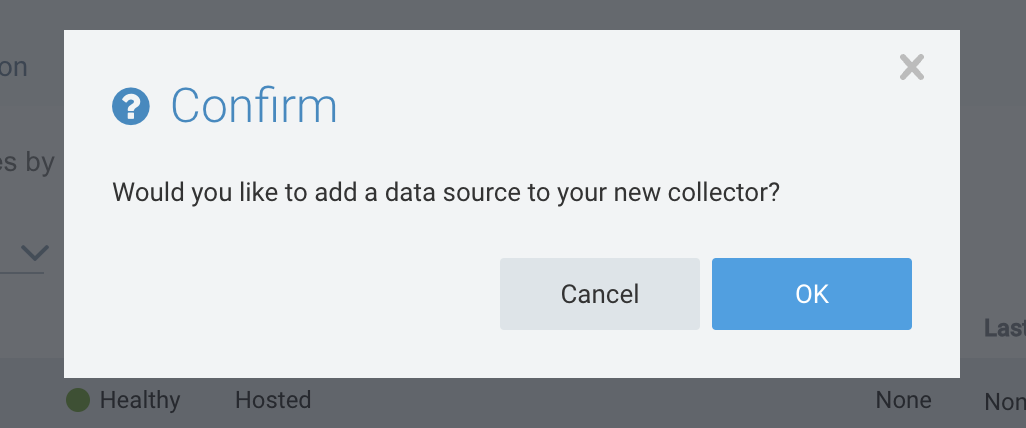
- Retrieve your collector URL to send data to the HTTP source.
- Ensure that your HTTP source does NOT have 'One Message Per Request' enabled. This can be done via the following steps:
- Click on edit under the HTTP source
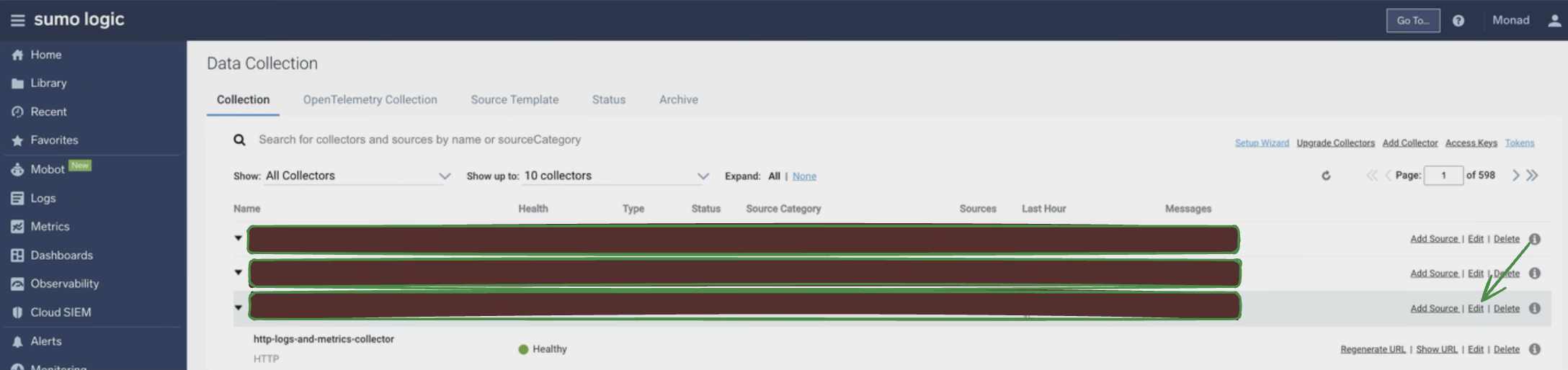
- Under 'Advanced Options for Logs (Optional)', ensure to uncheck 'One Message Per Request'.
- If sending JSON blobs to the output that may contain \n newline characters with the JSON message, also ensure to enable 'Multiline Processing' with 'Detect Automatically' to ensure the messages are indexed correctly within Sumo Logic.
Refer to this link to retrieve access keys: https://help.sumologic.com/docs/manage/security/access-keys/
Details
The Sumo Logic output connector continuously sends processed data to Sumo Logic for analysis and searching. The functionality includes the following key features:
- Automatic Collector Management: When using Access ID/Key, the connector handles collector creation and management:
- Initial Creation:
Creates a hosted collector with a unique name in monad-uuid format Automatically sets up an HTTP source within the collector for data ingestion
- Subsequent Runs:
Checks for existing Monad-created collectors in your Sumo Logic account If found, reuses the existing collector and source If not found (e.g., if previously created collector was deleted), creates a new collector and source
- Direct Data Ingestion via URL: When using a URL created from within the Sumo Logic UI, the connector would directly ingest data into Sumo Logic using the URL provided.
Configuration
The following configuration defines the input parameters. Each field's specifications, such as type, requirements, and descriptions, are detailed below.
Settings
| Setting | Type | Required | Description |
|---|---|---|---|
| URL | string | Yes | The URL of the Sumo Logic HTTP Collector. |
Secrets
| Secret | Type | Required | Description |
|---|---|---|---|
| Access Key | string | Yes | Access Key to create collectors and sources in Sumo Logic for data ingestion. |
| Access ID | string | Yes | Access ID to create collectors and sources in Sumo Logic for data ingestion. |
Collector Naming Convention
When Monad creates collectors automatically, collector names follow the format: Monad-pipeline_id-node_id
This unique naming convention ensures:
- Easy identification of Monad-created collectors
- No conflicts with existing collectors
- Reliable tracking for reuse on subsequent runs