Google Cloud PostgreSQL
This output supports efficient batch loading of data into Google Cloud managed PostgreSQL tables.
Prerequisites
The Google Cloud PostgreSQL Output requires:
- An existing PostgreSQL database
- A database user with permissions to write to tables
- The target table must exist with appropriate schema
Setting up the Service Account
Required for Monad Authenticating your account with Google Cloud.
- Go to the Google Cloud Console.
- Select your project from the project dropdown at the top of the page.
- Navigate to "IAM & Admin" > "Service Accounts".
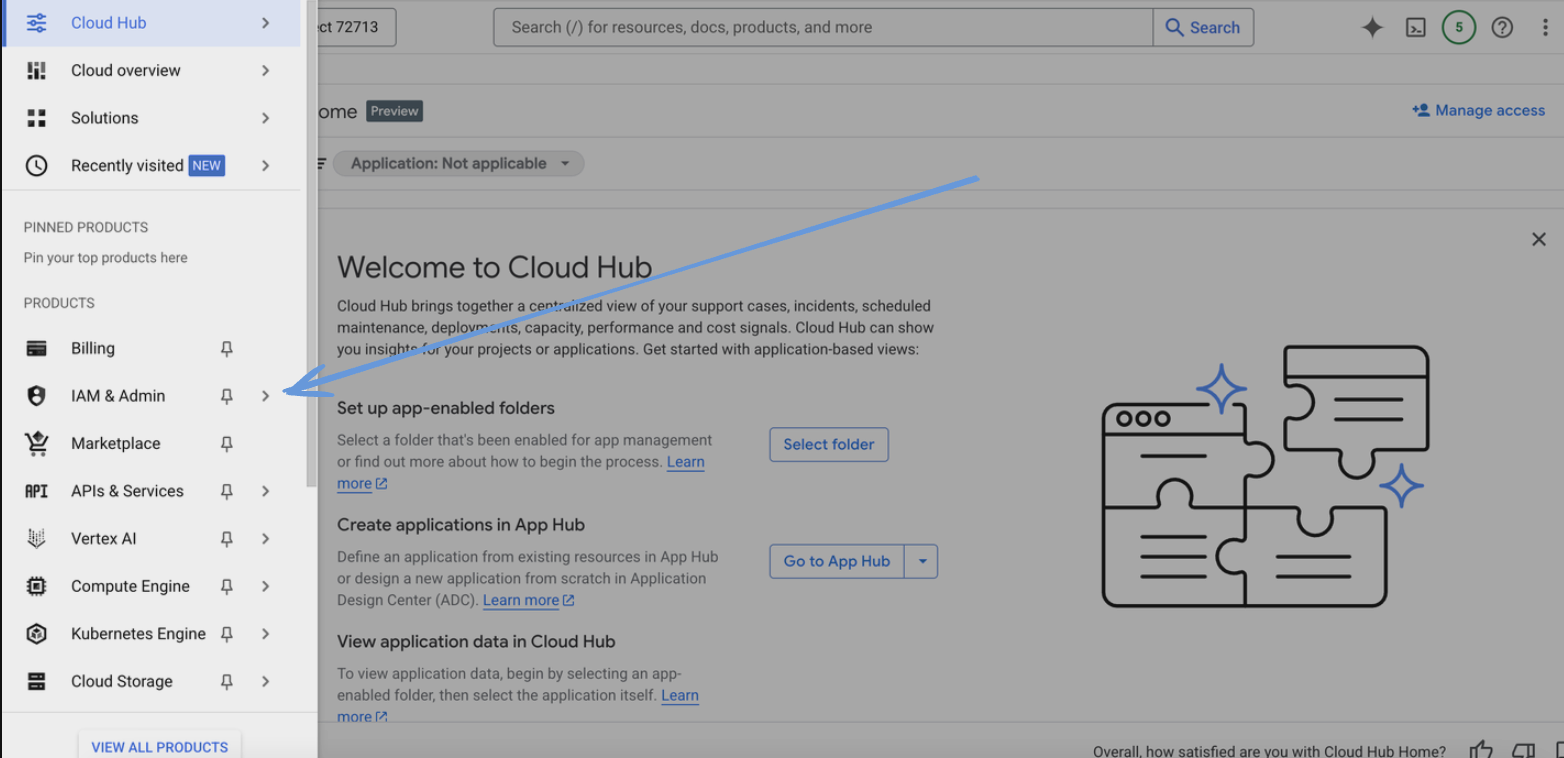
- Click "Create Service Account".
- Enter a name for the service account and click "Create".
- Assign the following role to the service account:
- Cloud SQL Client role
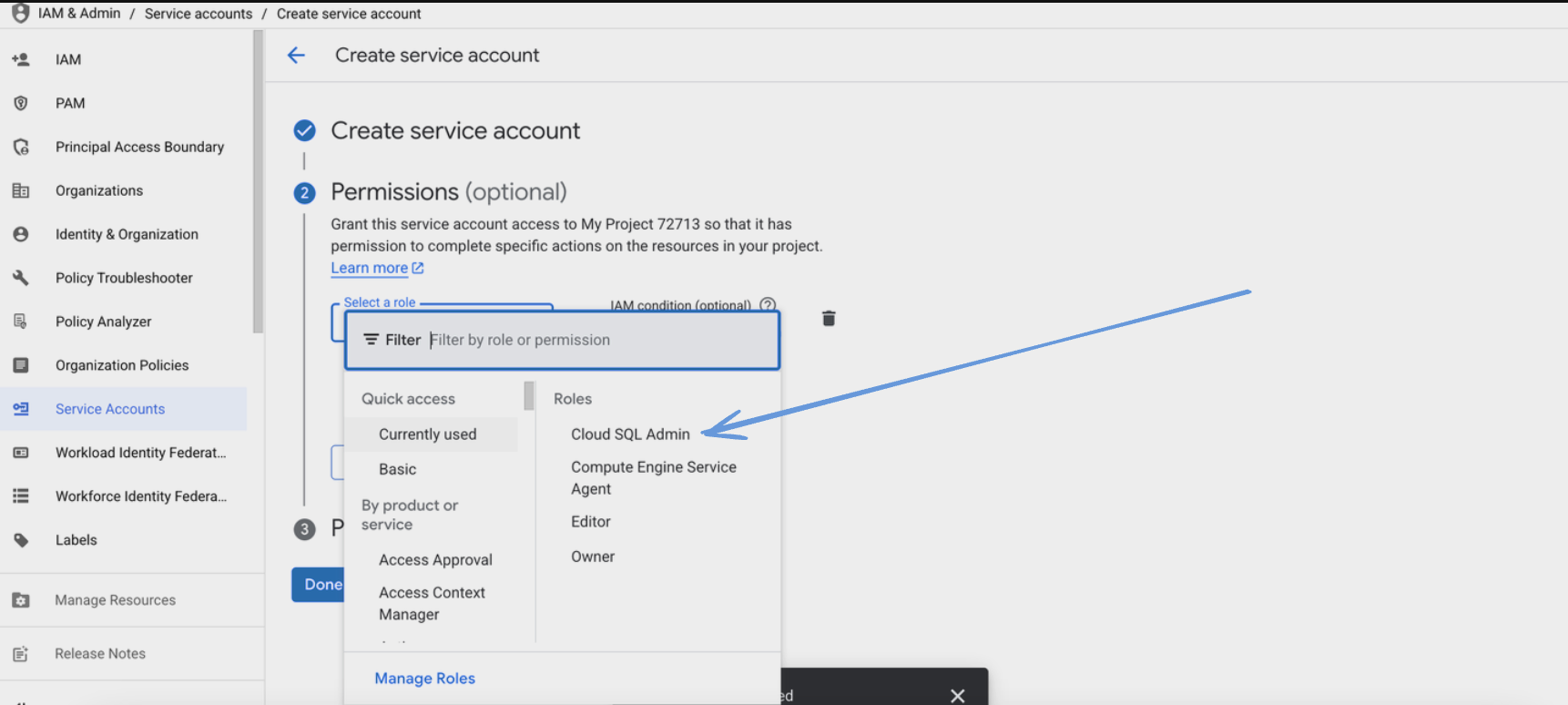
- Click "Continue" and then "Done".
- Find the newly created service account in the list and click on it.
- Go to the "Keys" tab and click "Add Key" > "Create new key".
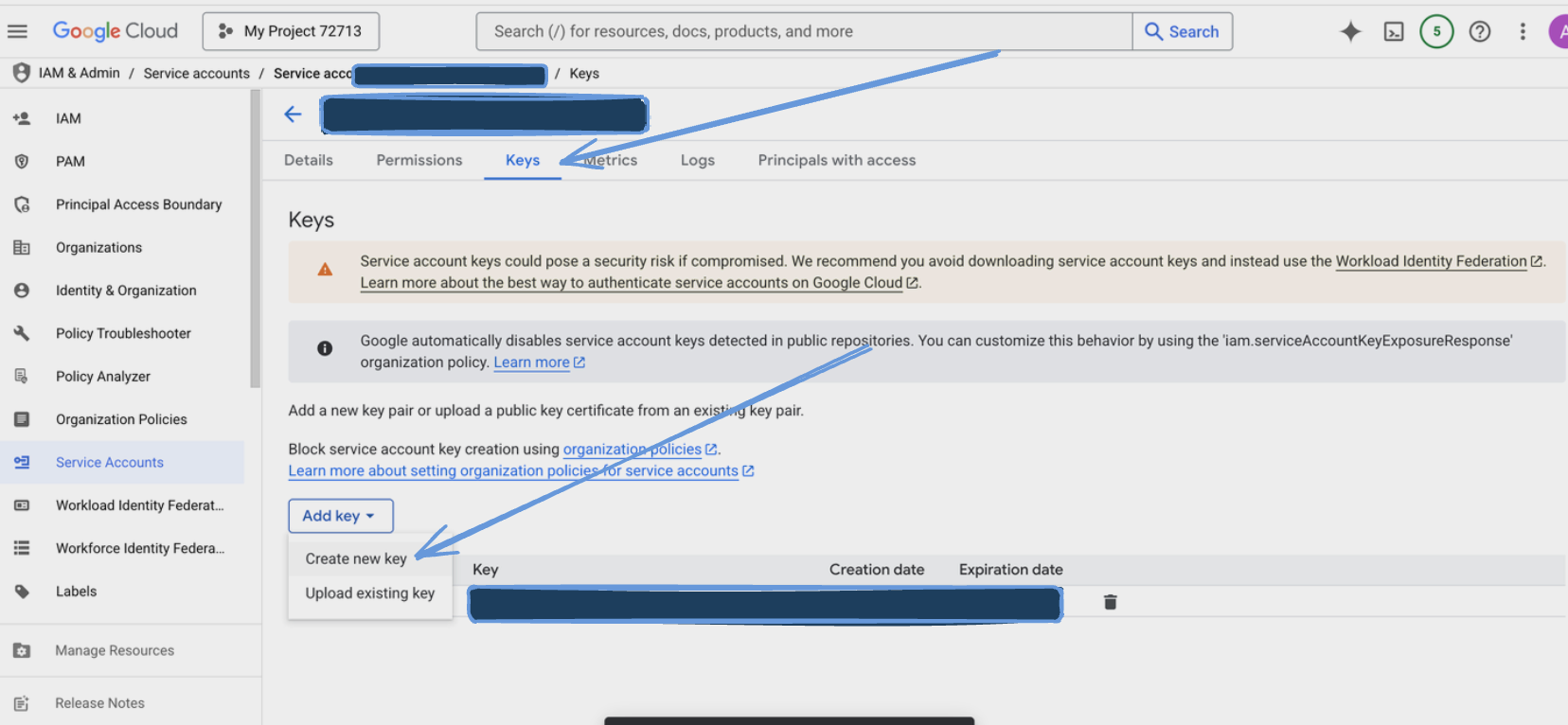
- Choose JSON as the key type and click "Create".
- Save the downloaded JSON key file securely.
Configuration
The Google Cloud PostgreSQL Output can be configured using individual connection parameters found on the Google Cloud Console.
Settings
| Setting | Type | Required | Default | Description |
|---|---|---|---|---|
| User | string | Yes | - | The user to connect to the PostgreSQL database |
| Database | string | Yes | - | The database name to connect to |
| Table | string | Yes | - | The table name to write data to |
| Column Names | array[string] | No | - | The column names to write data to, must match the root fields of the data. If not provided all root fields will be used |
| Instance Connection Name | string | Yes | - | Used to identify and connect to your Cloud SQL instance |
Secrets
| Setting | Type | Required | Description |
|---|---|---|---|
| Password | text | Yes | The password for the PostgreSQL user |
| Credentials JSON | string | Yes | String for the service account JSON key file |
Data Loading
The Google Cloud PostgreSQL Output uses efficient batch loading with the following characteristics:
-
Batch Processing
- Records are automatically batched for efficient loading
- Default batch size: 100 records
- Maximum batch data size: 1 MiB
- Batch processing interval: 5 seconds
-
Column Handling
- Automatically maps JSON fields to table columns
- Supports explicit column mapping via column_names setting
- Handles missing fields by inserting NULL values
- Uses the first record's schema if no column names are specified
Best Practices
Data Types
- Ensure PostgreSQL column types match your data
- Consider using JSONB for complex nested structures
- Use appropriate numeric types for precision requirements