Panther HTTP
This output supports efficient batch loading of data into Panther's via HTTP Custom Log Format Source.
Prerequisites
Create a HTTP Custom Log Source, using the following information:
- In the left-hand navigation bar of your Panther Console, click Configure > Log Sources, and select 'Create New'

- Select custom log format and the HTTP source
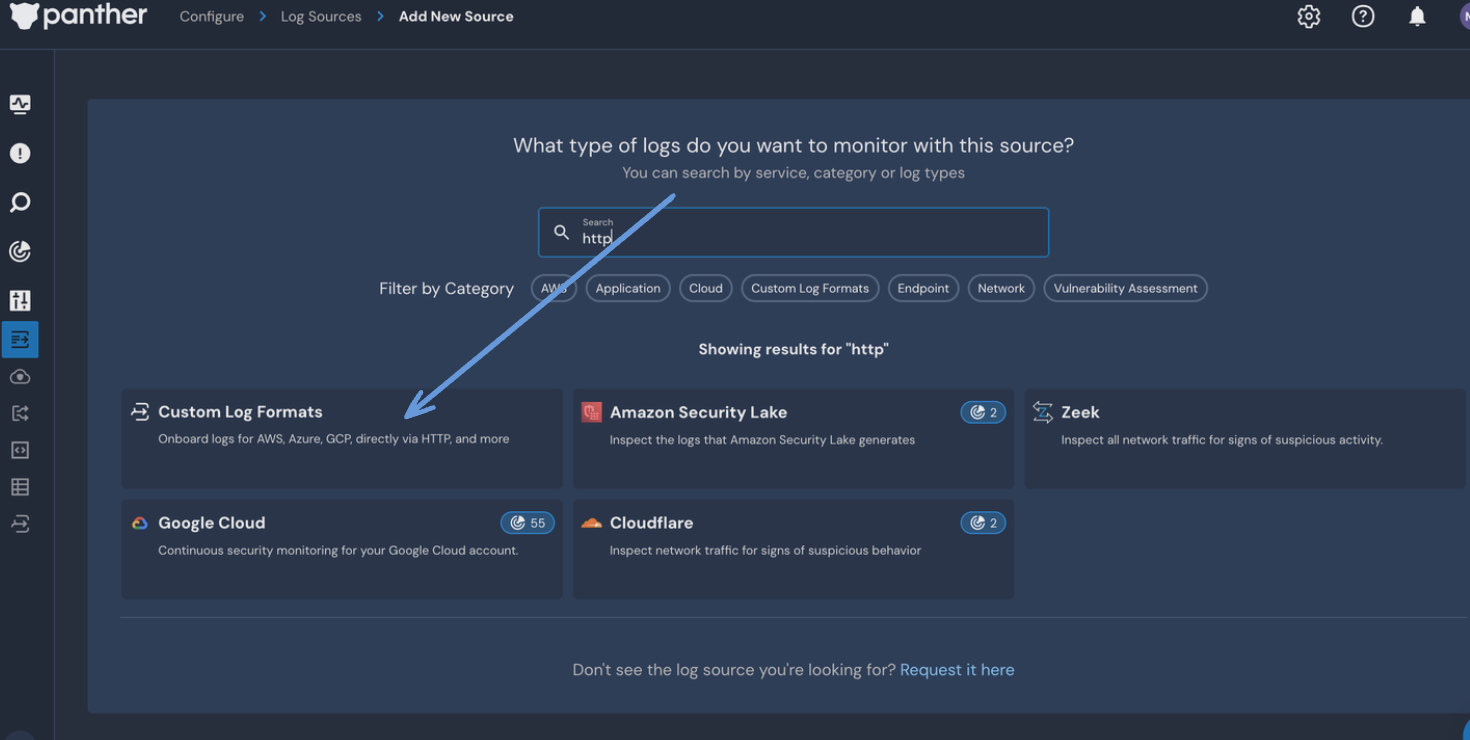
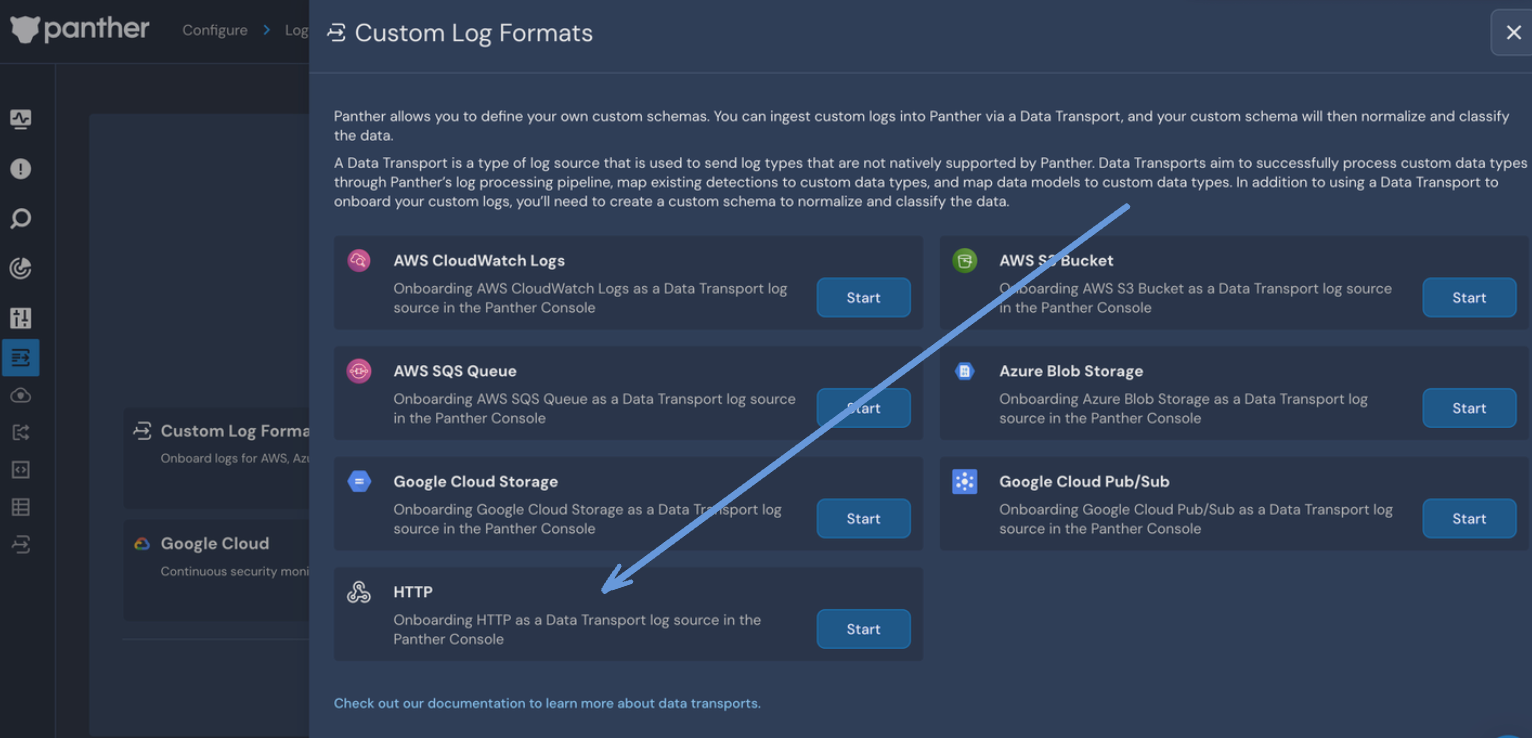
- Source Name: (Name this whatever you want, e.g. Monad Connector)
- Schemas: (Leave empty, or can be defined per datatype being ingested from a Monad input)
- Auth method: Bearer
- Next to the Bearer Token Value field, press the "Refresh" button to generate a new Bearer Token Value. Copy this value, as it will be used in the configuration below.
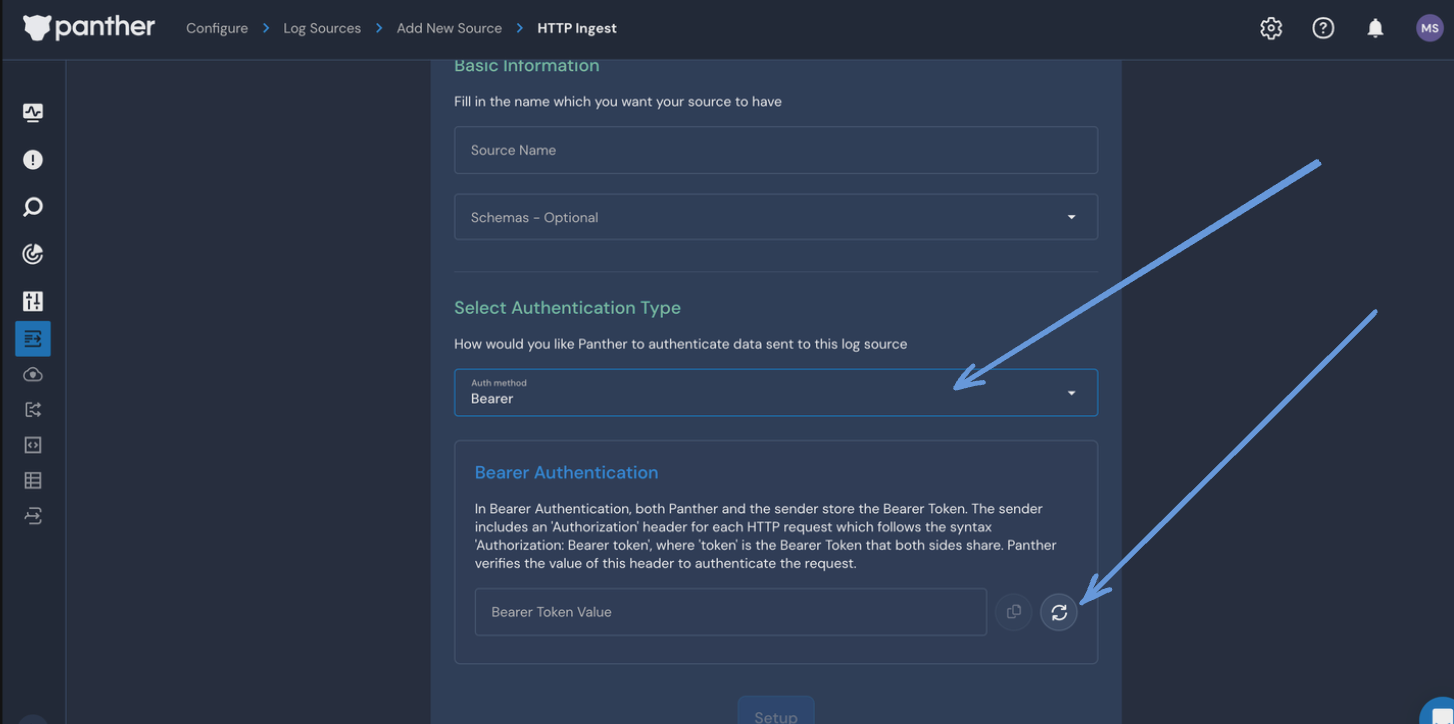
- Click Setup
- While the HTTP source is being created, click the "Click here to preview your URL" button. Copy this value, as it will be used in the configuration below.
- If you missed this step, you can always find the HTTP Ingest URL in the Basic Info section of the Log Source. Once the HTTP source has been created, you can continue configuring the connector below.
Settings
| Setting | Type | Required | Default | Description |
|---|---|---|---|---|
| HTTP Ingest URL | string | Yes | - | The HTTP Source Ingest URL generated by Panther. |
Secrets
| Secret | Type | Required | Description |
|---|---|---|---|
| Bearer Token | string | Yes | The Bearer Authentication Token Value for the HTTP Source. |