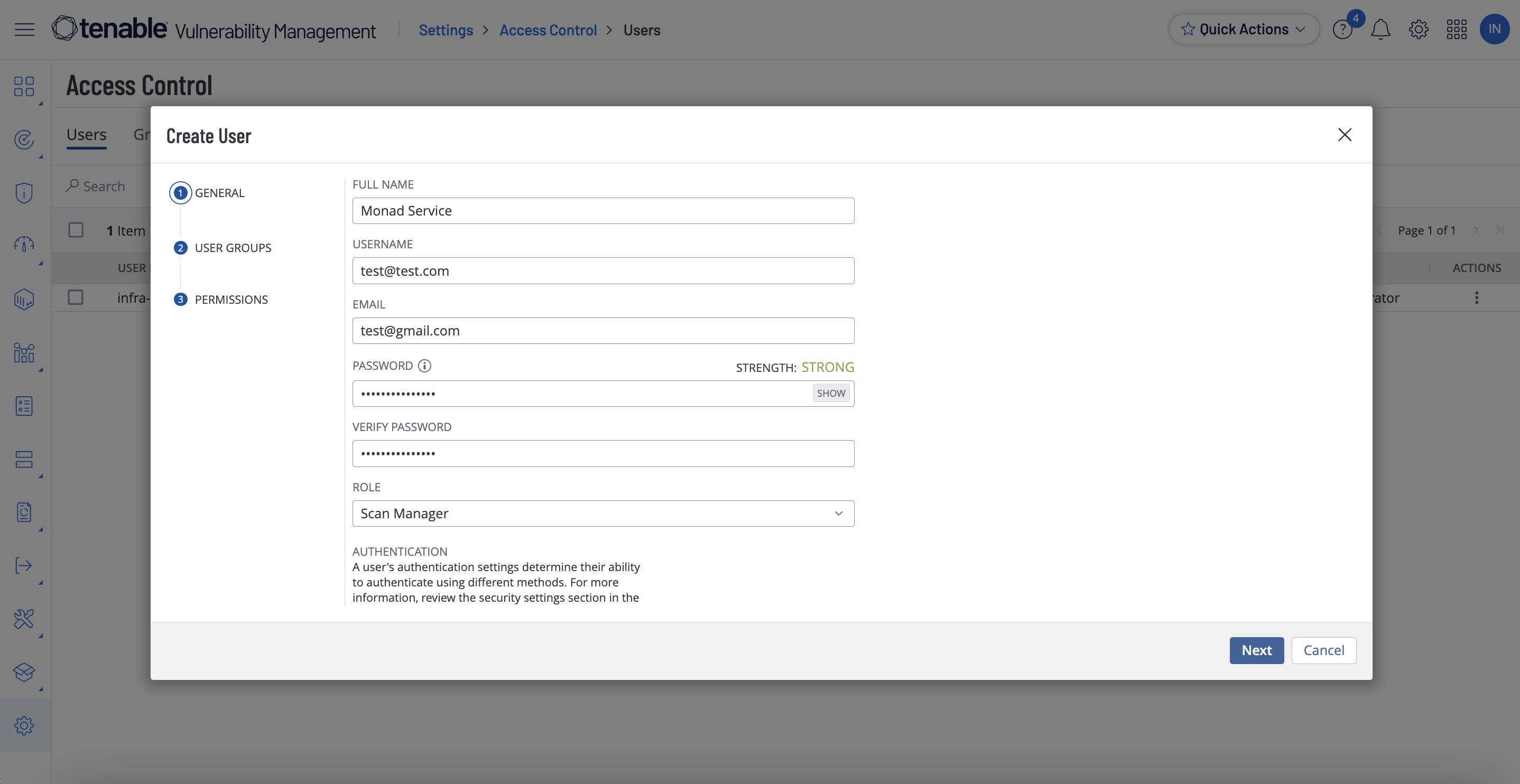
Fill out the rest of the service account fields using your organization's usual process.
Set the Role to Scan Manager and click Finish.
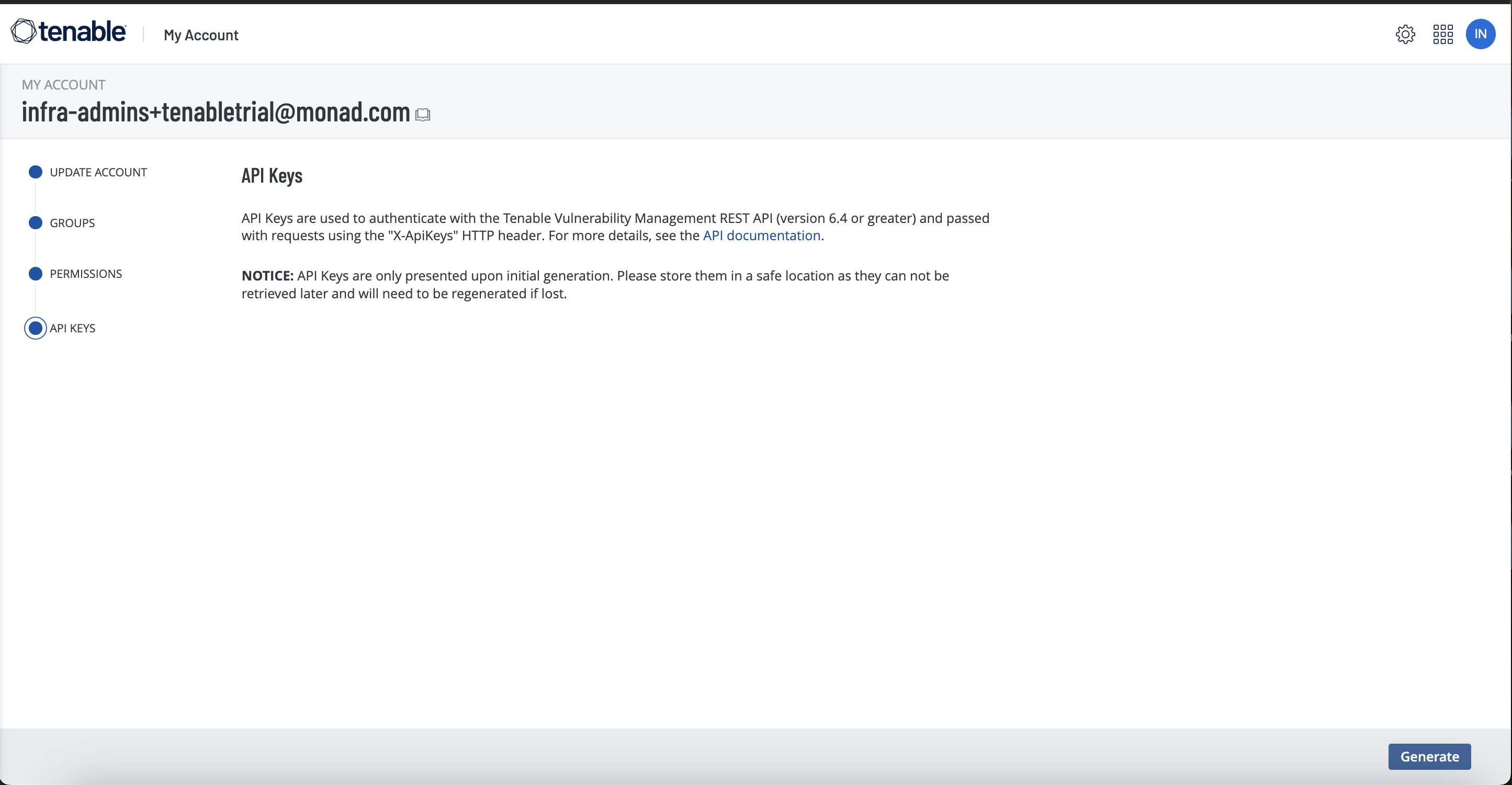
Click the new service user and select API Keys on the left.
Copy the access key and secret key. You'll need them when you set up the Monad connector.
Details
Monad uses the updated_at field to determine which assets to export this field is determined by the last time the export was run. If the input has never been run, it will export all assets.
Configuration
The following configuration defines the input parameters. Each field's specifications, such as type, requirements, and descriptions, are detailed below.
Settings
Setting
Type
Required
Description
Backfill Start Time
string
No
The date to start fetching data from. If not specified, no past records will be fetched.
API Rate Limit
object
No
Optional limit on the connector's outbound request rate to the source API. Leave blank to use the connector's default behavior. See API Rate Limiting for the field format, limits, and how to choose a value.
Secrets
Secret
Type
Required
Description
Access Key
string
Yes
Access Key for the Tenable API. This is required to authenticate requests.
Secret Key
string
Yes
Secret Key for the Tenable API. This is required to authenticate requests.
OCSF Conversion
The following JQ transformation converts Tenable Asset data to OCSF Version 1.1 compliant format.
By default this input polls approximately every 10 seconds, with each sync beginning after the previous one completes. A cron schedule configured on the pipeline overrides this cadence. See Input Sync Frequency for details.