

Tenable
Asset Inventory Cron
Retrieves all assets and related metadata from Tenable for integration into third-party systems, collecting comprehensive data on each asset.
Sync Type: Full Synchronization
Requirements
- Log in to Tenable.io and go to the Create a service account page.
- Enter
Monad Serviceas the name. - Fill out the rest of the service account fields using your organization's usual process.
- Set the Role to
Scan Managerand click Finish.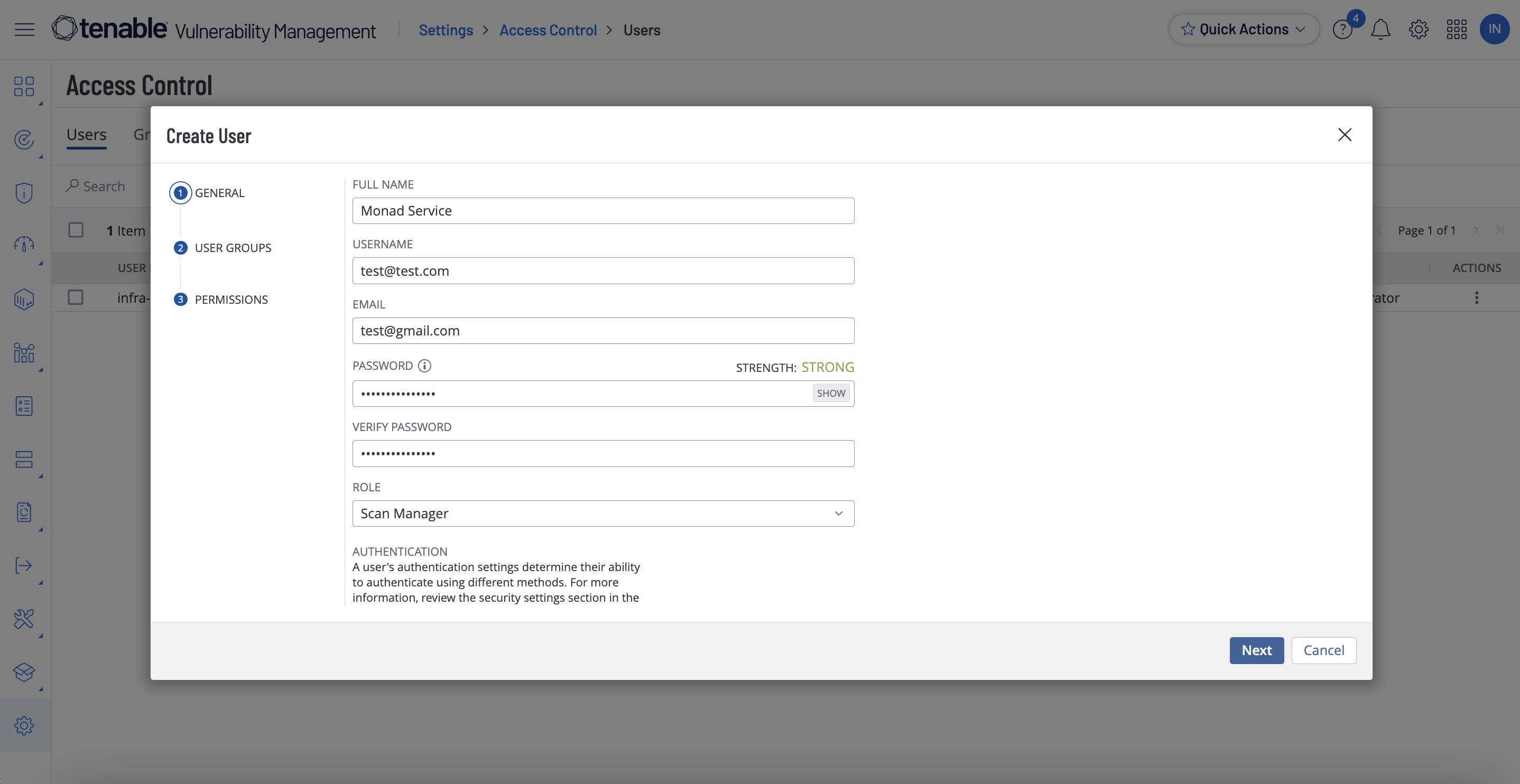
- Click the new service user and select API Keys on the left.
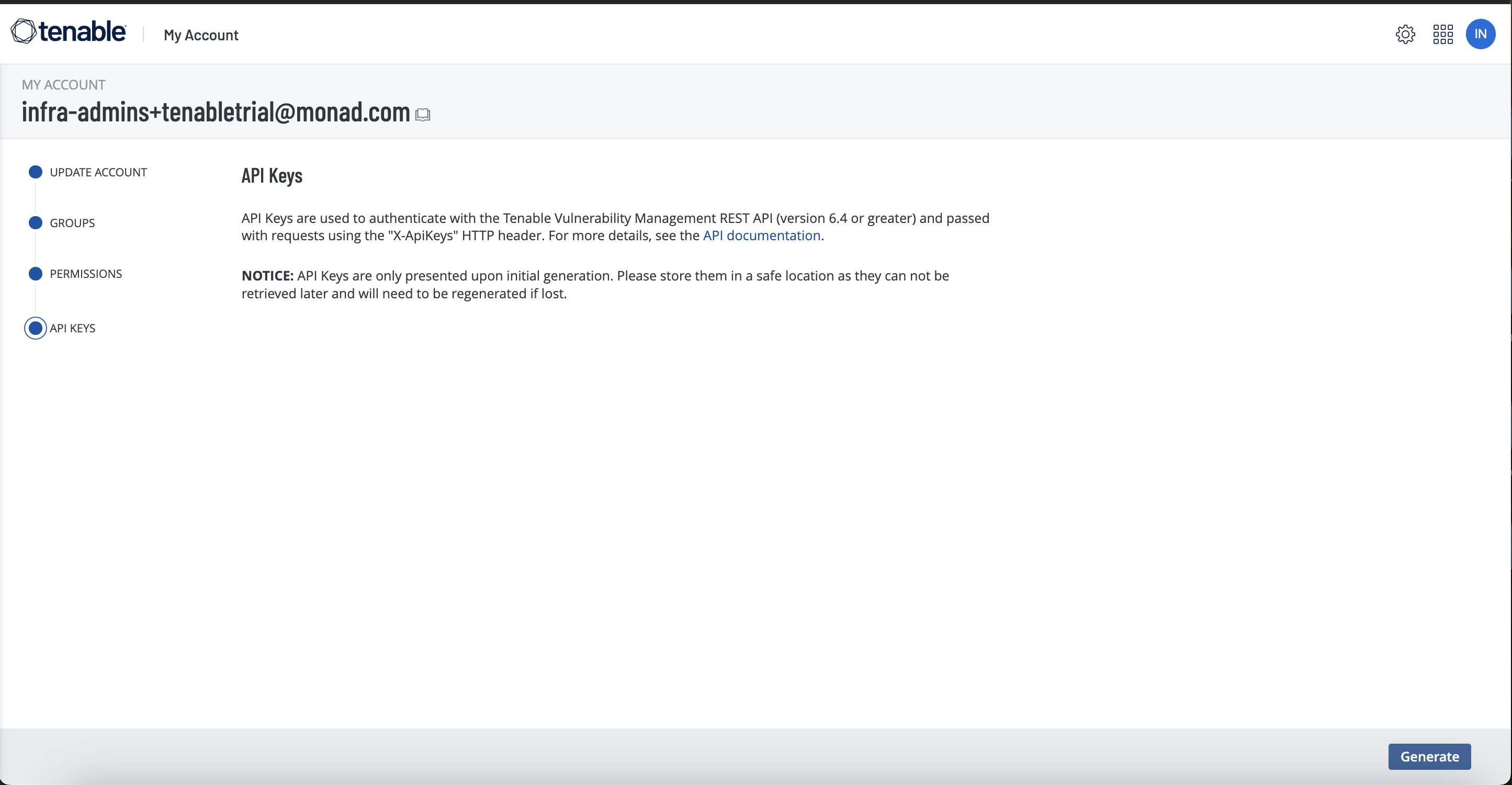
- Copy the access key and secret key. You'll need them when you set up the Monad connector.
Details
The same assets from Tenable Assets are returned but a full sync is performed based on a set cron schedule.
Configuration
The following configuration defines the input parameters. Each field's specifications, such as type, requirements, and descriptions, are detailed below.
Settings
| Setting | Type | Required | Description |
|---|---|---|---|
| Cron | string | Yes | Cron string for scheduling tasks. Ex: '0 0 * * *' for daily execution at midnight. |
| API Rate Limit | object | No | Optional limit on the connector's outbound request rate to the source API. Leave blank to use the connector's default behavior. See API Rate Limiting for the field format, limits, and how to choose a value. |
Secrets
| Secret | Type | Required | Description |
|---|---|---|---|
| Access Key | string | Yes | Access Key for the Tenable API. This is required to authenticate requests. |
| Secret Key | string | Yes | Secret Key for the Tenable API. This is required to authenticate requests. |
OCSF Conversion
The following JQ transformation converts Tenable Asset data to OCSF Version 1.1 compliant format.
Related Articles
- https://developer.tenable.com/reference/exports-assets-download-chunk
- https://docs.tenable.com/vulnerability-management/Content/Settings/access-control/CreateAUserAccount.htm
- https://developer.tenable.com/reference/exports-assets-request-export
- https://developer.tenable.com/reference/exports-assets-export-status
- https://developer.tenable.com/reference/exports-assets-download-chunk
Sync frequency
This input runs on a cron schedule (default hourly, 0 * * * *), which you can configure on the pipeline. See Input Sync Frequency for details.
Last modified on