

Semgrep
Supply Chain Findings
Fetches software supply chain-related findings from Semgrep to identify third-party risk.
Sync Type: Incremental
Requirements
- Before you connect Monad to Semgrep, you need an API token. API tokens are scoped to include all code findings from a specific account in Semgrep.
- Please make sure that your account is on Semgrep Code Team tier to have access to the API endpoints.
- To generate a new Semgrep API key,
- Log in to Semgrep, and check to confirm which account you are using. If needed, switch to the account that you want to connect to Monad.
- Click Settings > Tokens > Create new token.
- In the dialog that appears, make sure that WebAPI is selected and Agent (CI) is deselected in the Token Scopes section.
- In the Description, enter something like Monad Connector token so that it's clear later what this token is for.
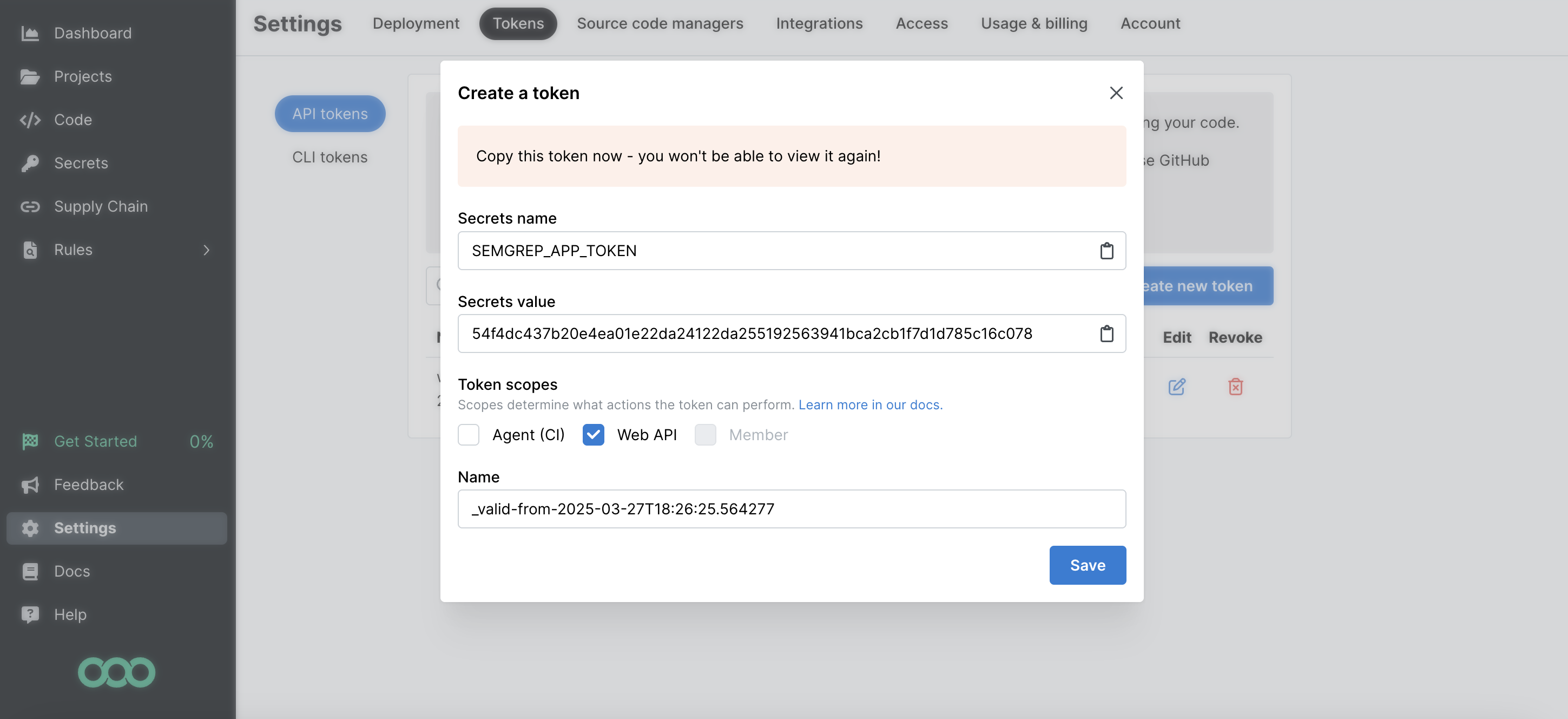
- Copy the Secrets Value (the token value) to a secure place so you can use it to set up the connector. Once you close this dialog, you cannot view the token value again.
Details
Monad uses the since filter on the API to determine which findings to display. This field is updated every time a request to get findings is successful with the last time a request to get findings was initiated. If this was the first time requesting for findings, a full sync of the data is performed.
Settings
| Setting | Type | Required | Description |
|---|---|---|---|
| Backfill Start Time | string | No | The date to start fetching data from. If not specified, no past records will be fetched. |
| API Rate Limit | object | No | Optional limit on the connector's outbound request rate to the source API. Leave blank to use the connector's default behavior. See API Rate Limiting for the field format, limits, and how to choose a value. |
Secrets
| Secret | Type | Required | Description |
|---|---|---|---|
| API Key | string | Yes | API Key for the Semgrep API. This is required to authenticate requests. |
OCSF Conversion
The following JQ transformation converts Semgrep Code Finding data to OCSF Version 1.1.0 compliant format.
Sample Record
Code
Sync frequency
By default this input polls approximately every 10 seconds, with each sync beginning after the previous one completes. A cron schedule configured on the pipeline overrides this cadence. See Input Sync Frequency for details.
Last modified on