

Team Access Logs
Retrieves workspace access logs from Slack, providing visibility into user login activity and session information.
Sync Type: Incremental
Overview
The Slack Team Access Logs input collects comprehensive access log data from your workspace, capturing user authentication events, session details, and geographic information. This data is crucial for security monitoring, detecting anomalous access patterns, compliance reporting, and understanding user behavior across your organization.
Prerequisites
- A Slack workspace with API access
- Admin or Owner permissions to create and install apps
- User OAuth Token with the
adminscope
OAuth Token Setup
To access Slack Team Access Logs, you need to create a Slack app with the appropriate OAuth scopes.
1. Create a Slack App
-
Navigate to Slack API
- Go to https://api.slack.com/apps
- Sign in with your Slack account
-
Create New App
- Click Create New App
- Choose From scratch
- Provide an app name (e.g., "Access Logs Collector")
- Select your Slack workspace
- Click Create App
- You will be redirected to the "Basic Information" page
2. Grant Permissions
-
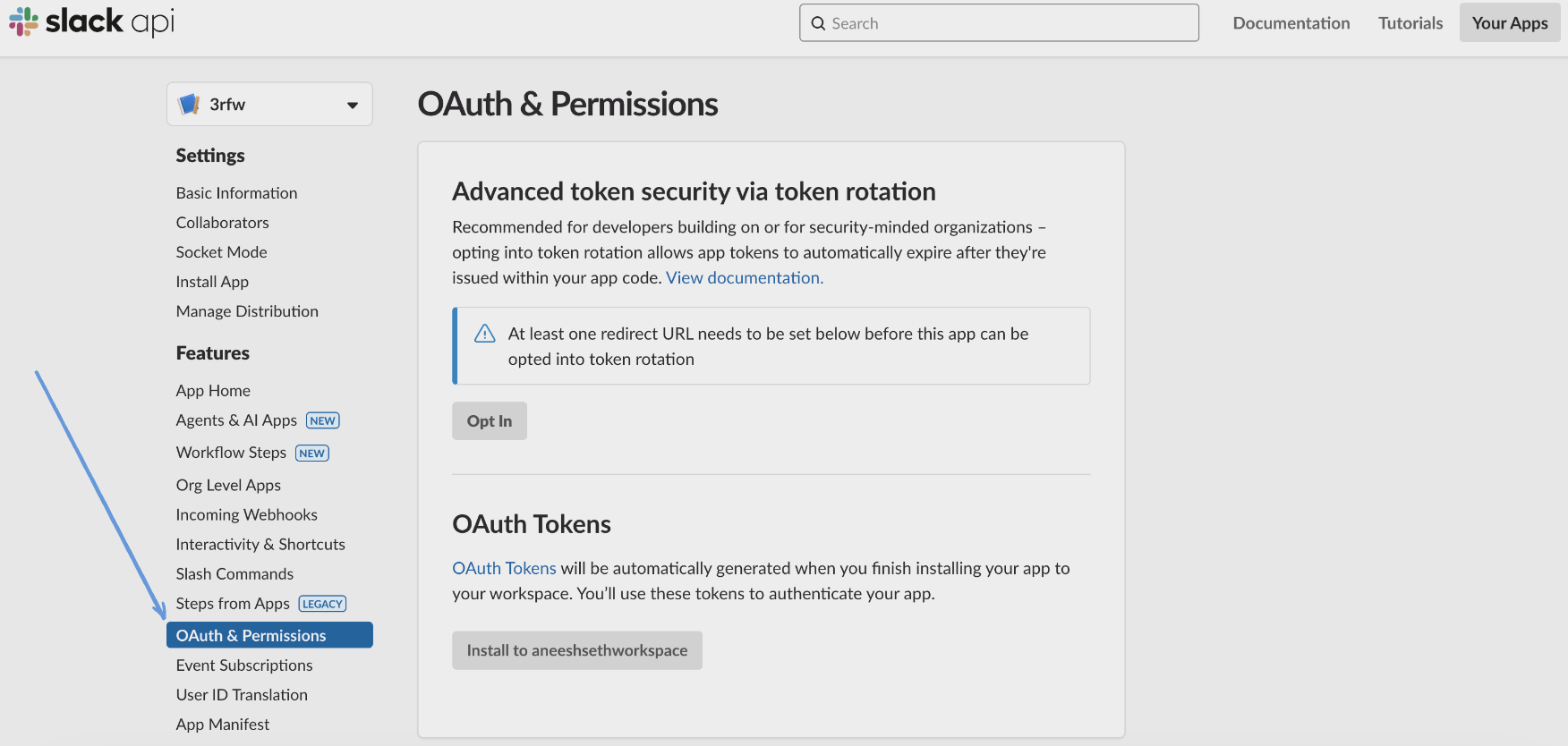
Navigate to OAuth & Permissions
- In the left sidebar, click OAuth & Permissions
-
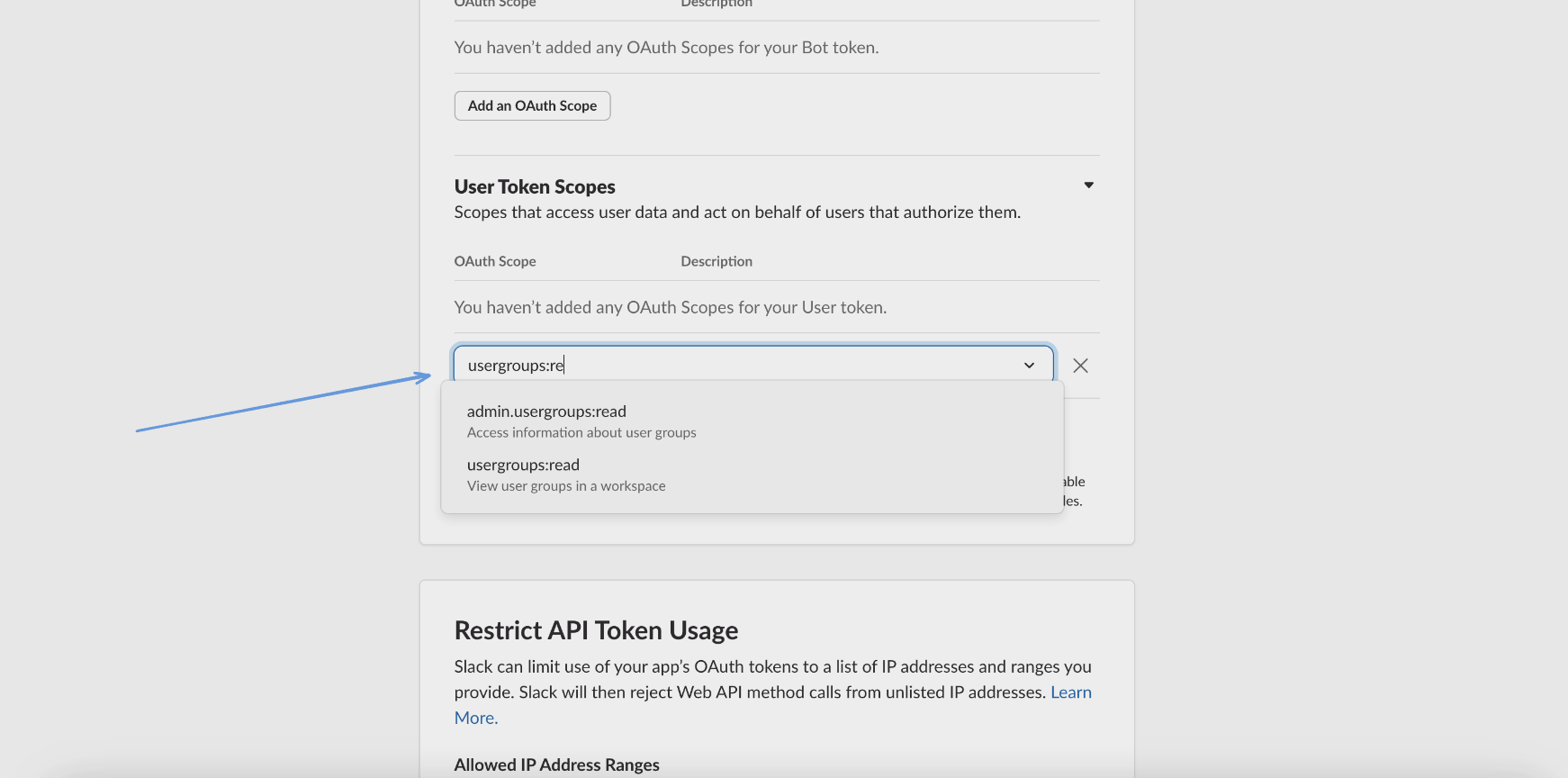
Add User Token Scopes
- Scroll down to Scopes > User Token Scopes
- Click Add an OAuth Scope
- Add the
adminscope - "Administer the workspace"
3. Install App and Get Token
-
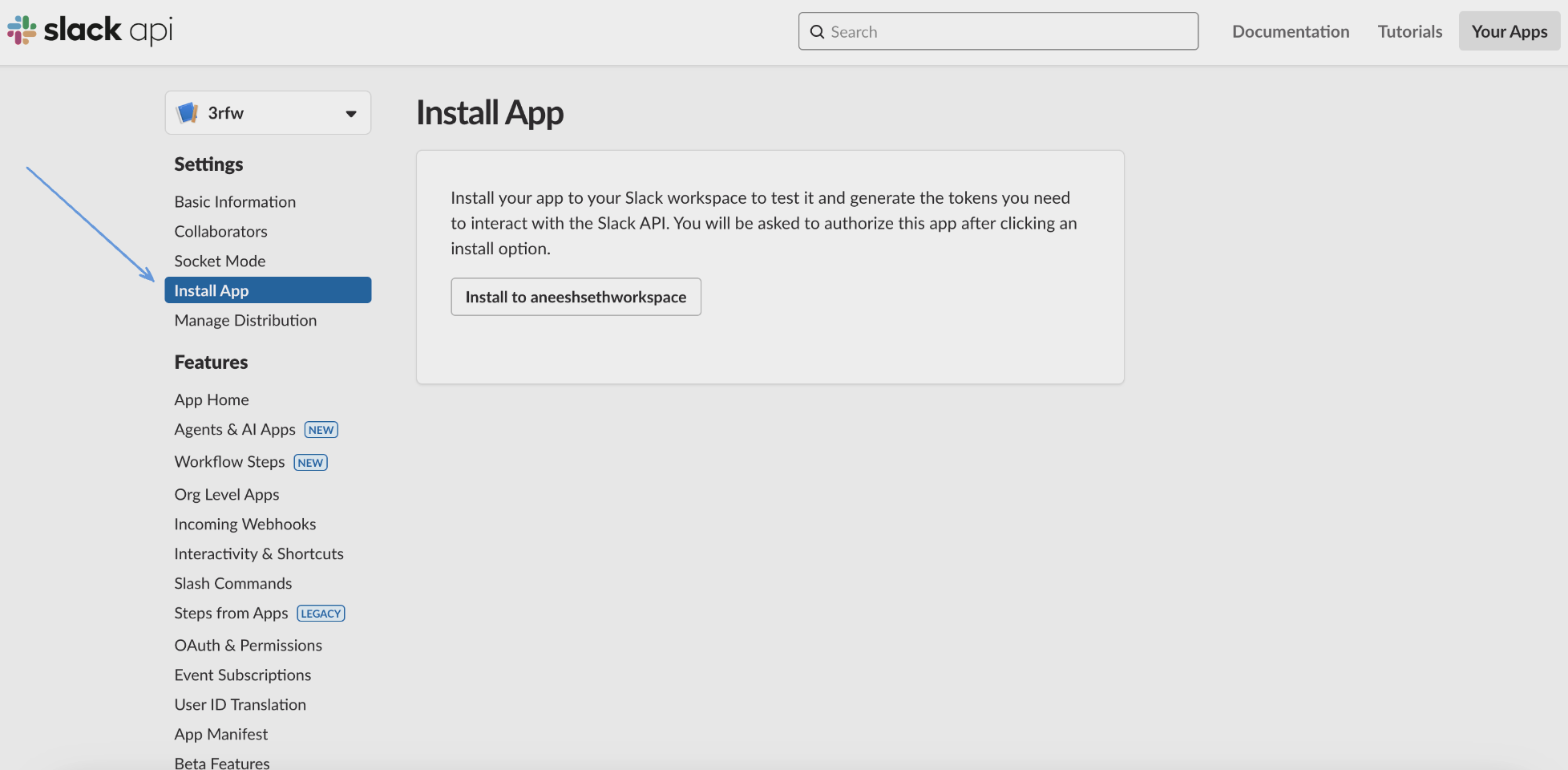
Install to Workspace
- In the left sidebar click Install App
- Click Install to Workspace button
- Click Allow when prompted to authorize the app
-
Copy User OAuth Token
- After installation, copy the User OAuth Token
- This token starts with
xoxp-and will be used in the configuration - Store it securely - treat it as a sensitive credential
Note: If you modify scopes after installation, reinstall the app for changes to take effect.
Configuration
Settings
| Setting | Type | Required | Description |
|---|---|---|---|
| backfill_start_time | string | No | The date to start fetching data from. If not specified, no past records will be fetched. |
| API Rate Limit | object | No | Optional limit on the connector's outbound request rate to the source API. Leave blank to use the connector's default behavior. See API Rate Limiting for the field format, limits, and how to choose a value. |
Secrets
| Secret | Type | Required | Description |
|---|---|---|---|
| token | string | Yes | User OAuth Token with admin scope from your Slack app configuration (starts with xoxp-) |
Details
Slack returns access logs as aggregate rows rather than individual events: each entry covers one combination of user, IP address and user agent, where date_first is that combination's first ever access and date_last and count update as it is used again.
Monad tracks these rows incrementally by date_last, so a row is collected again whenever the combination sees new activity. Each collection is a fresh snapshot of the row, which means an active device appears more than once over time with a rising count. Rows whose date_last has not moved since the previous run are not re-collected.
Collection starts from backfill_start_time. If it is not set, the connector starts from the time it first runs and no earlier activity is collected. For individual login events rather than aggregate rows, use the Slack Enterprise Audit Logs connector.
What Data is Collected
The access logs capture:
- User Identity: User ID, username
- Session Information: First access time, last access time, access count
- Network Details: IP address, ISP, user agent
- Geographic Data: Country, region
- Access Patterns: Frequency and timing of workspace access
Important Limitations
- Rate Limits: Subject to Slack's API rate limits which may affect data collection speed
- Admin Access Required: The
adminscope requires workspace admin or owner permissions - Data Retention: Log availability depends on your Slack plan's data retention policy
- Aggregated Data: Access logs are aggregated by Slack and may not show individual login events
Troubleshooting
Common issues and their solutions:
-
Authentication failures
- Verify the OAuth token starts with
xoxp- - Ensure the token has the
adminscope - Check if the app has been installed to the workspace
- Verify your user account has admin or owner permissions
- Verify the OAuth token starts with
-
Missing data
- Check the backfill_start_time configuration
- Verify that access logging is available for your Slack plan
- Ensure the token hasn't been revoked
- Note that access logs are aggregated and may have a delay
-
Permission errors
- The
adminscope requires workspace admin or owner role - Reinstall the app if you recently added the scope
- The
Related Articles
Sample Record
Code
Sync frequency
By default this input polls approximately every 10 seconds, with each sync beginning after the previous one completes. A cron schedule configured on the pipeline overrides this cadence. See Input Sync Frequency for details.