

Offline Enrollment Logs
Collects a list of Duo Authentication for Windows Logon offline enrollment events from Duo Security API.
Sync Type: Incremental
Requirements
Before you connect Monad to Duo Security, you need an Integration Key, Secret Key, and a Host.
- Sign up for a Duo account if you aren't already a customer.
- Log in to the Duo Admin Panel and navigate to Applications and find the application you want to connect Monad to.
- Retrieve your Client ID, Client Secret, and Hostname (Previously in Duo, the Client ID was called the "Integration key" and the Client secret was called the "Secret key" in case you come across those terms).
- Ensure Duo is connected to your application. For example, here is documentation for how to connect Duo Security to 1Password: https://duo.com/docs/1password#new-1password-applications
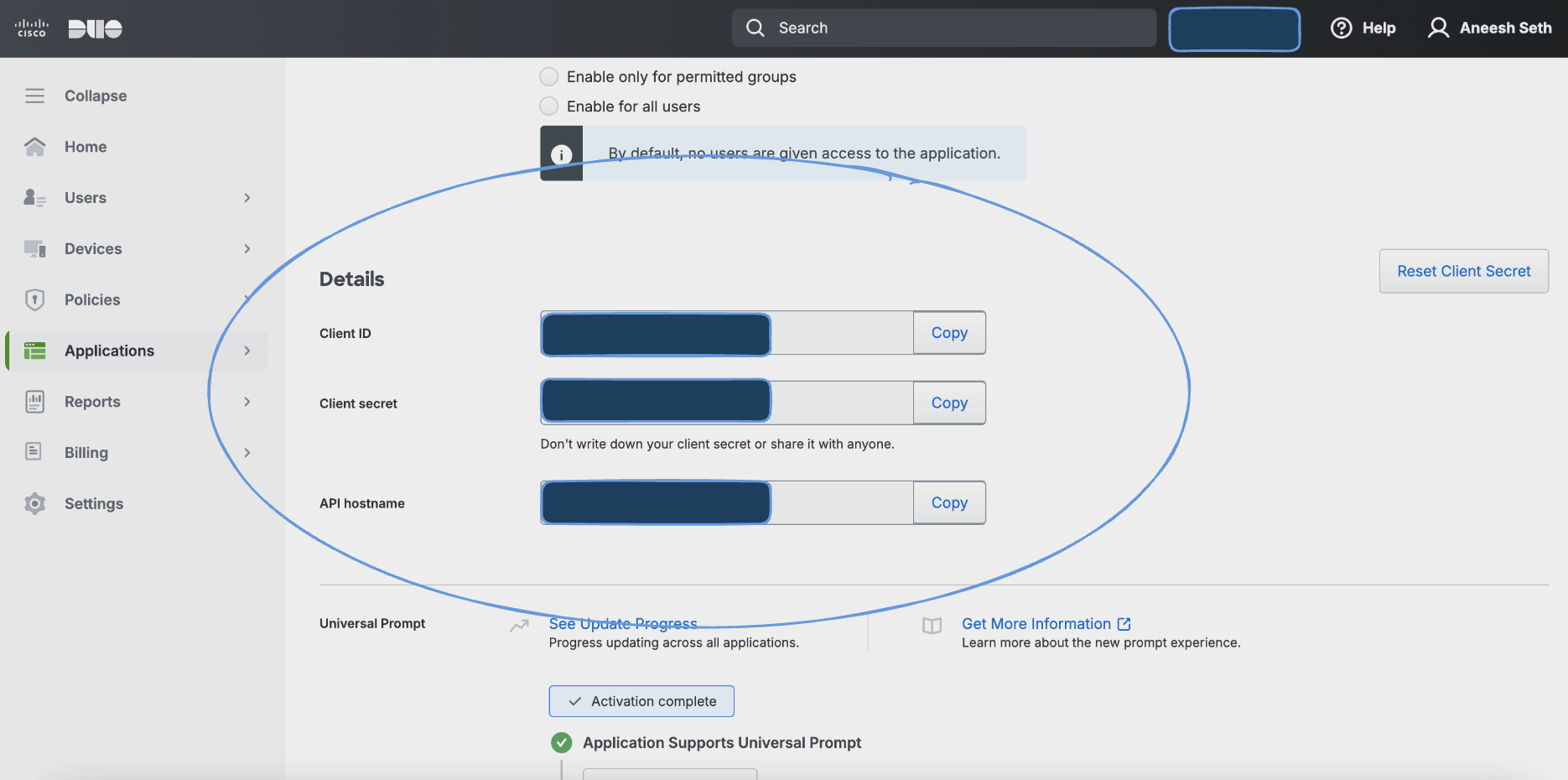
Details
Monad uses the mintime on the Duo Security Offline Enrollment Logs API to determine what logs to display. This field is updated every time a request to get Offline Enrollment logs is successful with the last time a request to get the logs was initiated. If this was the first time requesting for admin logs, a full sync of the data is performed.
Configuration
The following configuration defines the input parameters. Each field's specifications, such as type, requirements, and descriptions, are detailed below.
Settings
| Setting | Type | Required | Description |
|---|---|---|---|
| Host | string | Yes | The Duo API endpoint used for sending authentication and other requests. |
Secrets
| Secret | Type | Required | Description |
|---|---|---|---|
| Integration Key | string | Yes | A unique identifier for the integration between your application and Duo Security. |
| Secret Key | string | Yes | A private key used to securely sign API requests to Duo. |
Related Articles
- https://duo.com/docs/adminapi#first-steps
- https://pkg.go.dev/github.com/duosecurity/duo_api_golang#NewDuoApi
- https://github.com/duosecurity/duo_api_golang
- Duo Offline Enrollment Logs API
Sample Record
Code
Sync frequency
This input polls on a connector-specific interval. A cron schedule configured on the pipeline overrides this cadence. See Input Sync Frequency for details.