

User Activity
Retrieves enterprise activity events for audit and monitoring via Box's streaming events feed.
Sync Type: Incremental
Requirements
- Before you connect Monad to Box, you need access to a Box account, Business plan or higher. Note: Purchasing just a business plan (lowest tier) limits your ability on parameters you can use for the Box users input. Read the configuration section for more details.
- After purchasing an appropriate plan, you now need to obtain your Client ID, Client Secret, and Enterprise ID:
- Navigate to the Developer Console from your Box user dashboard (Requires Admin/Co-Admin Access to the enterprise)
- Create a Platform app (Custom app) if you don't have one with appropriate fields filled out from the Developer dashboard
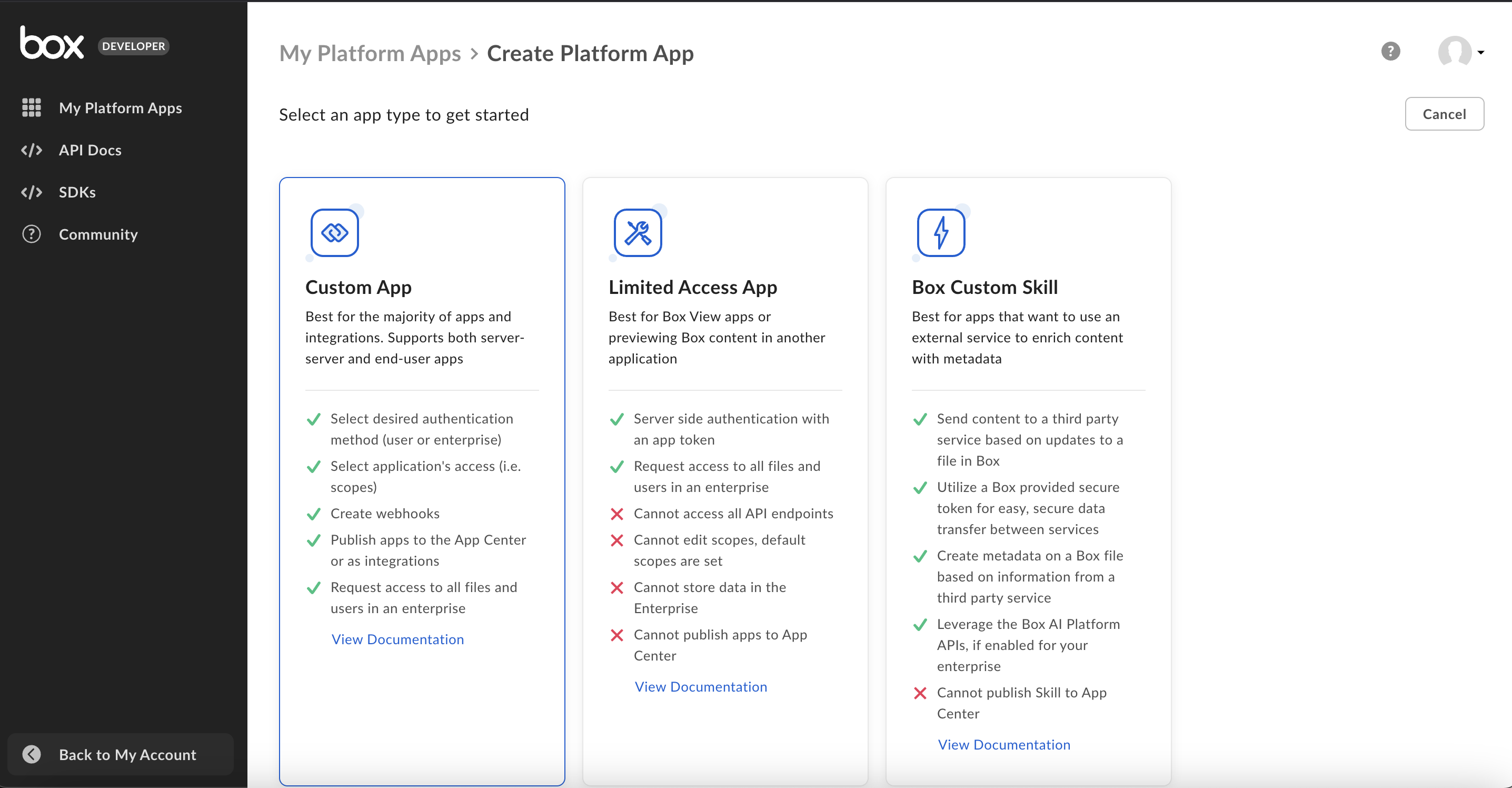
- Retrieve your Enterprise ID from the 'General settings' by choosing the right app from the developer dashboard in the 'My Platform Apps' section.
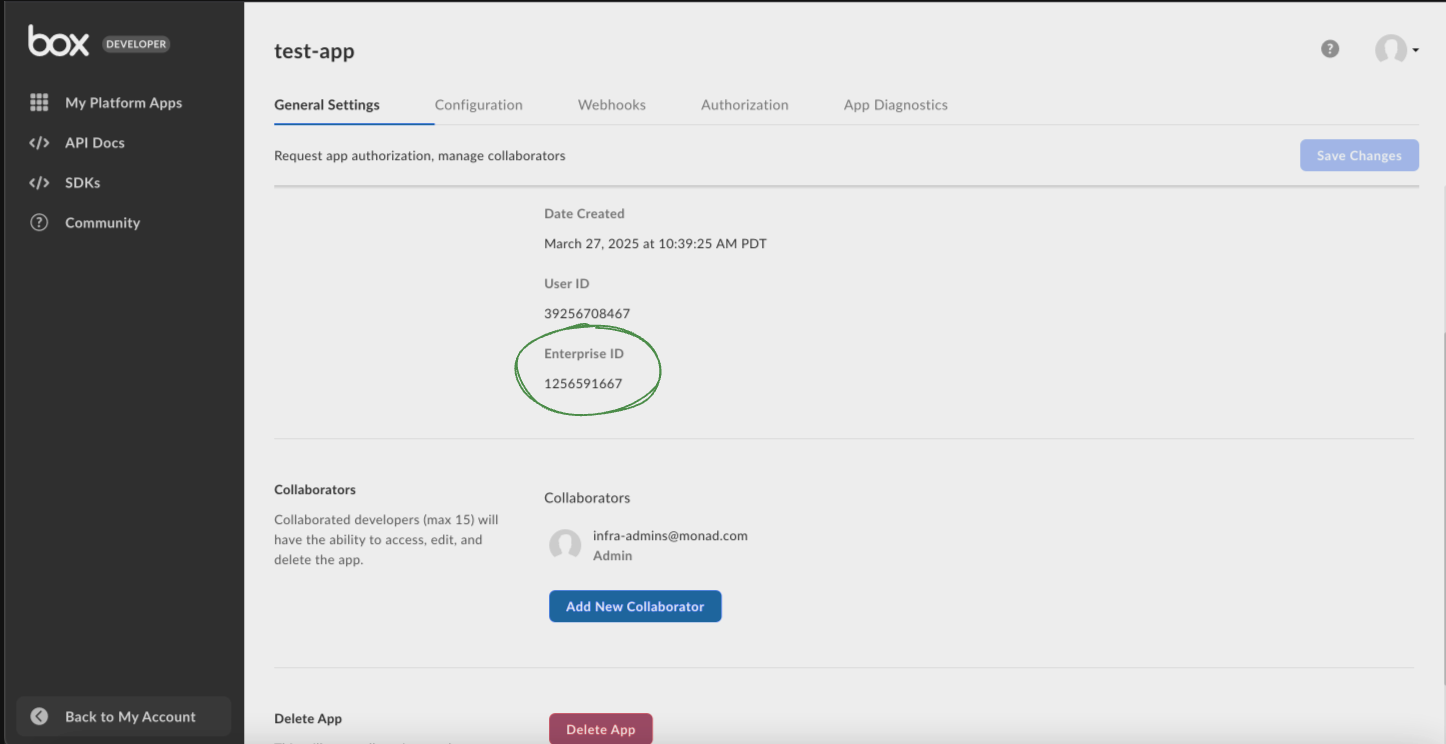
- Go to the 'Configuration' after choosing the right app from the developer dashboard in the 'My Platform Apps' section, and scroll down to 'OAuth 2.0 Credentials' section, and setup 2FA if required, after which obtain your Client ID and Client Secret to connect Box to Monad.
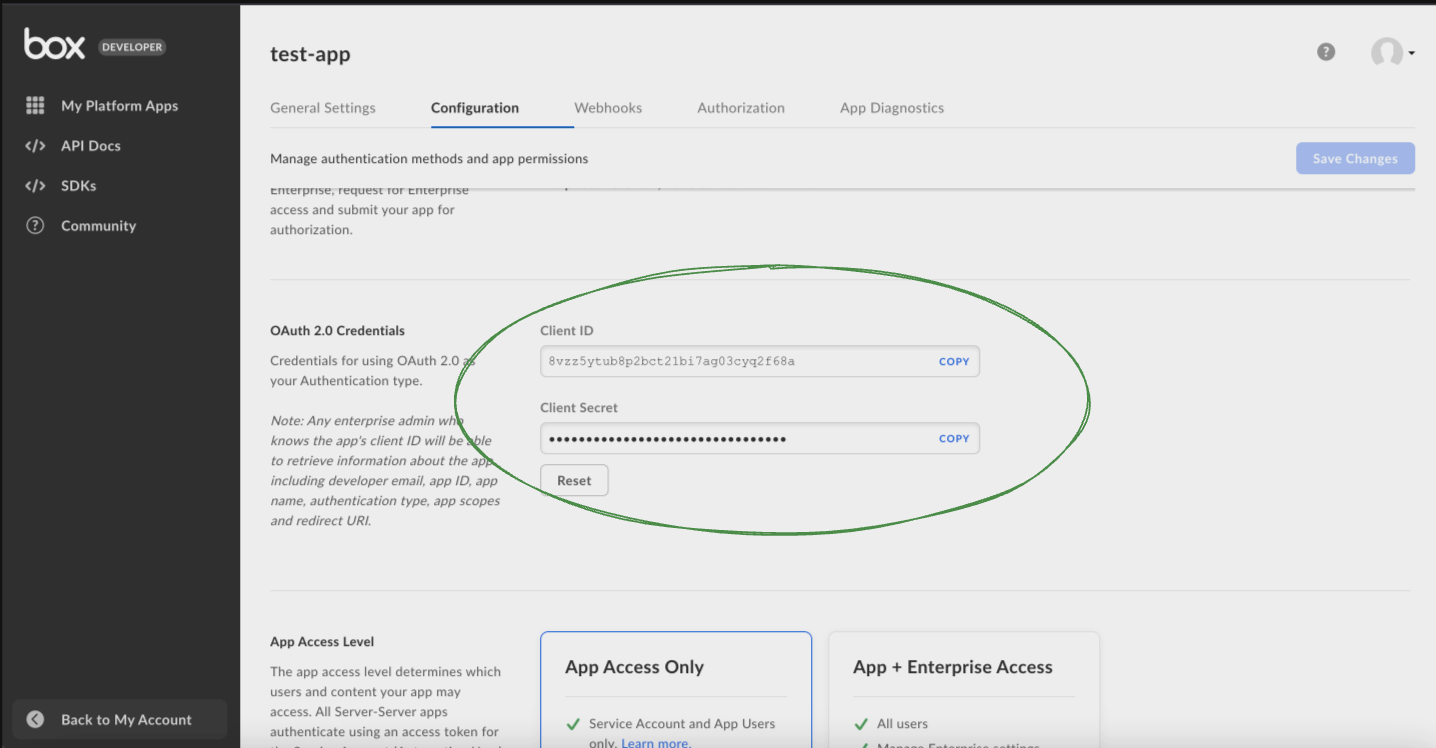
- Ensure that the app has "App + Enterprise Access" from the Configuration tab.
Details
Monad collects enterprise events from Box's admin_logs_streaming feed on the events API.
The streaming feed retains approximately 14 days of history. On a connector's first sync:
- By default, only new events from that point onward are collected.
- If Import Historical Data is enabled, Monad also replays the retained window (up to ~14 days) on that first sync.
For events older than the streaming retention window, use Box Reports.
Existing connectors: connectors created before this streaming change automatically transition to the streaming feed and begin collecting new events going forward. The Backfill Start Time setting has been removed — historical collection is now controlled by Import Historical Data.
Configuration
The following configuration defines the input parameters. Each field's specifications, such as type, requirements, and descriptions, are detailed below.
Settings
| Setting | Type | Required | Description |
|---|---|---|---|
| Event Type | string | No | A list of event types to filter by. |
| Import Historical Data | boolean | No | On the first sync, also import up to 14 days of historical events (Box's streaming retention limit). Off by default — only new events from now onward are collected. For older data, use Box Reports. |
| API Rate Limit | object | No | Optional limit on the connector's outbound request rate to the source API. Leave blank to use the connector's default behavior. See API Rate Limiting for the field format, limits, and how to choose a value. |
Secrets
| Secret | Type | Required | Description |
|---|---|---|---|
| Client ID | string | Yes | Client ID for the Box API. This is required to authenticate requests. |
| Client Secret | string | Yes | Client Secret for the Box API. This is required to authenticate requests. |
| Enterprise ID | string | Yes | Enterprise ID for the Box API. This is required to authenticate requests. |
Related Articles
Sample Record
Code
Sync frequency
By default this input polls approximately every 10 seconds, with each sync beginning after the previous one completes. A cron schedule configured on the pipeline overrides this cadence. See Input Sync Frequency for details.